Turn a 500-page website into one linked note.
Point it at a glossary, an ideas library, or a docs set. It fetches every entry into one markdown file and links each entry to the others and to your notes.
Built by Atharva Shah. Site to Knowledge Note costs $19, paid once. Buy Site to Knowledge Note. The skill folder and setup guide arrive by email.
Site to Knowledge Note at a glance
Site to Knowledge Note is an AI agent skill for Claude Code, Codex CLI, Gemini CLI, and other agents that read SKILL.md. Scrapes a paginated site into one linked note with cross-references both ways. Best for: website to markdown for LLM.
- Works with
- Claude Code, Codex CLI, Gemini CLI, Cursor, GitHub Copilot
- Category
- Research and knowledge
- Price
- $19, one payment
- Requirements
- Needs a paid Claude plan with Claude Code and web fetch. Sites that render with heavy JavaScript may need a scraping service such as Firecrawl, which has its own pricing. Keep scraped content for personal use and respect the terms of each site.
- Included
- Parallel scrape plan, Merge and count check, Deterministic cross-linking, Two-way links to your notes
What Site to Knowledge Note produces
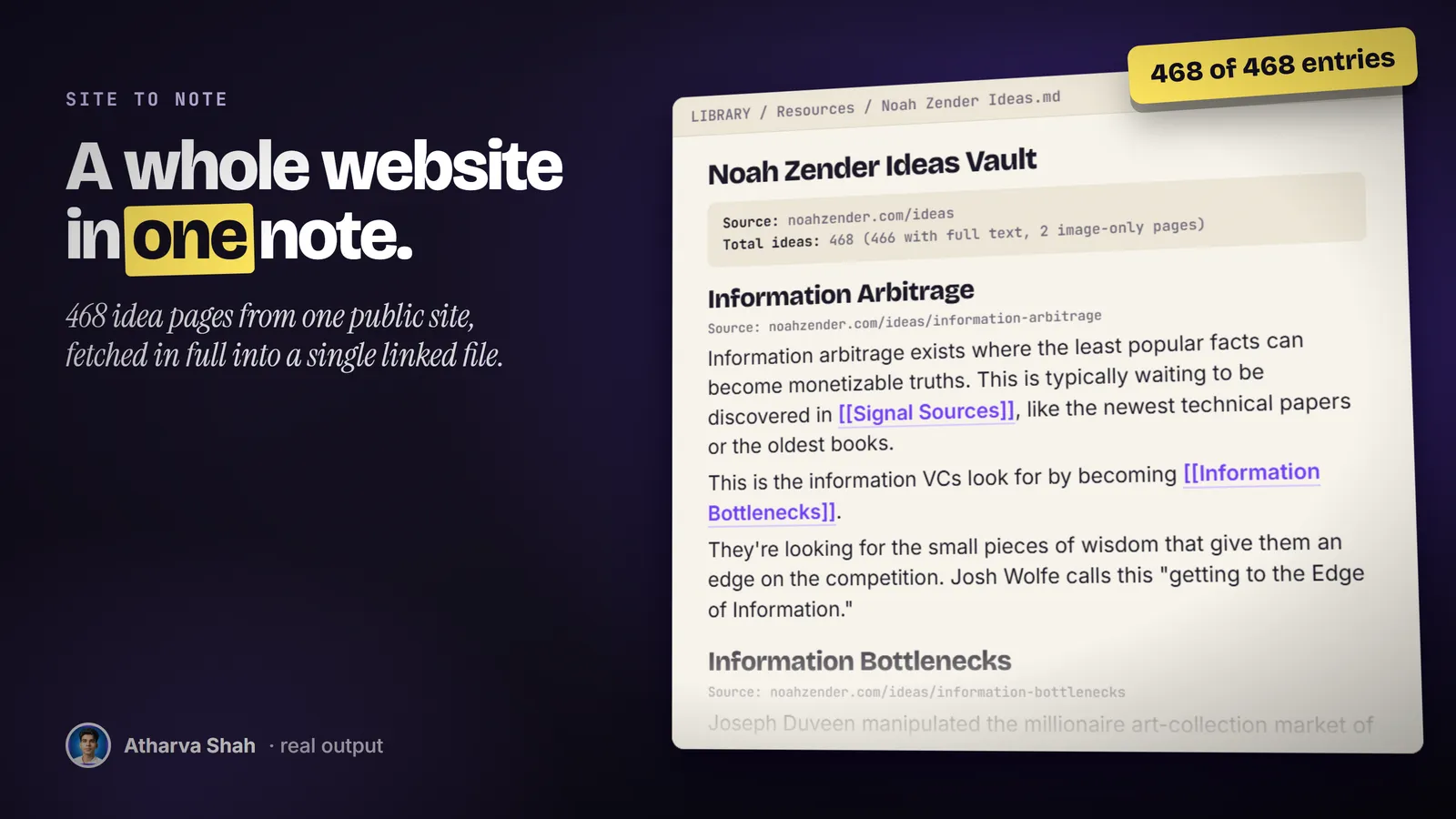
A whole site in one note you can search.
It works on any site with an index page that lists its entries.
- Give it the index page. It lists every entry link and counts them. You set how many agents your machine can run at once.
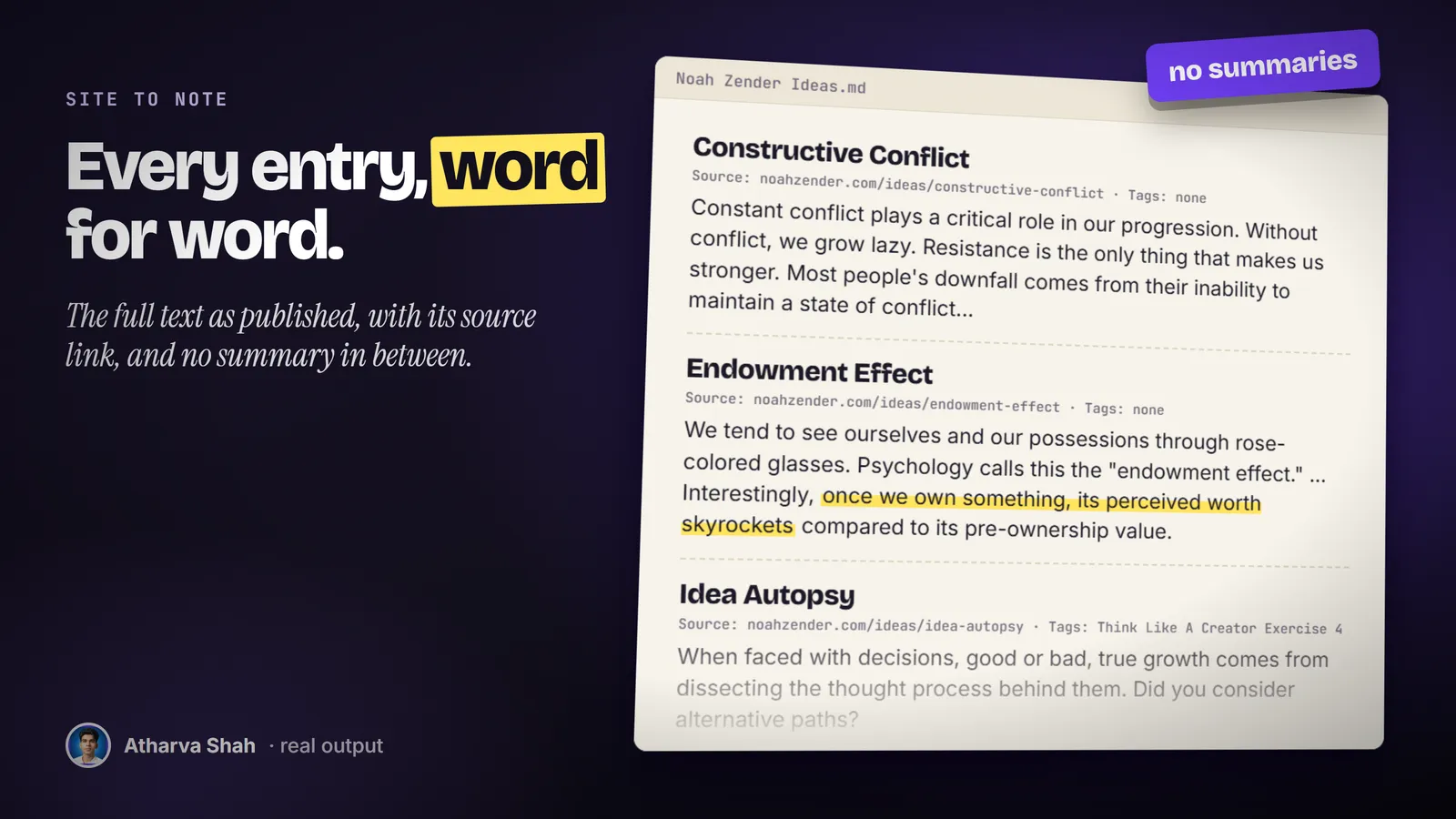
- Agents fetch in parallel. Each agent fetches its batch in full, word for word, and writes its own part file. The parts merge in order and the entry count gets checked.
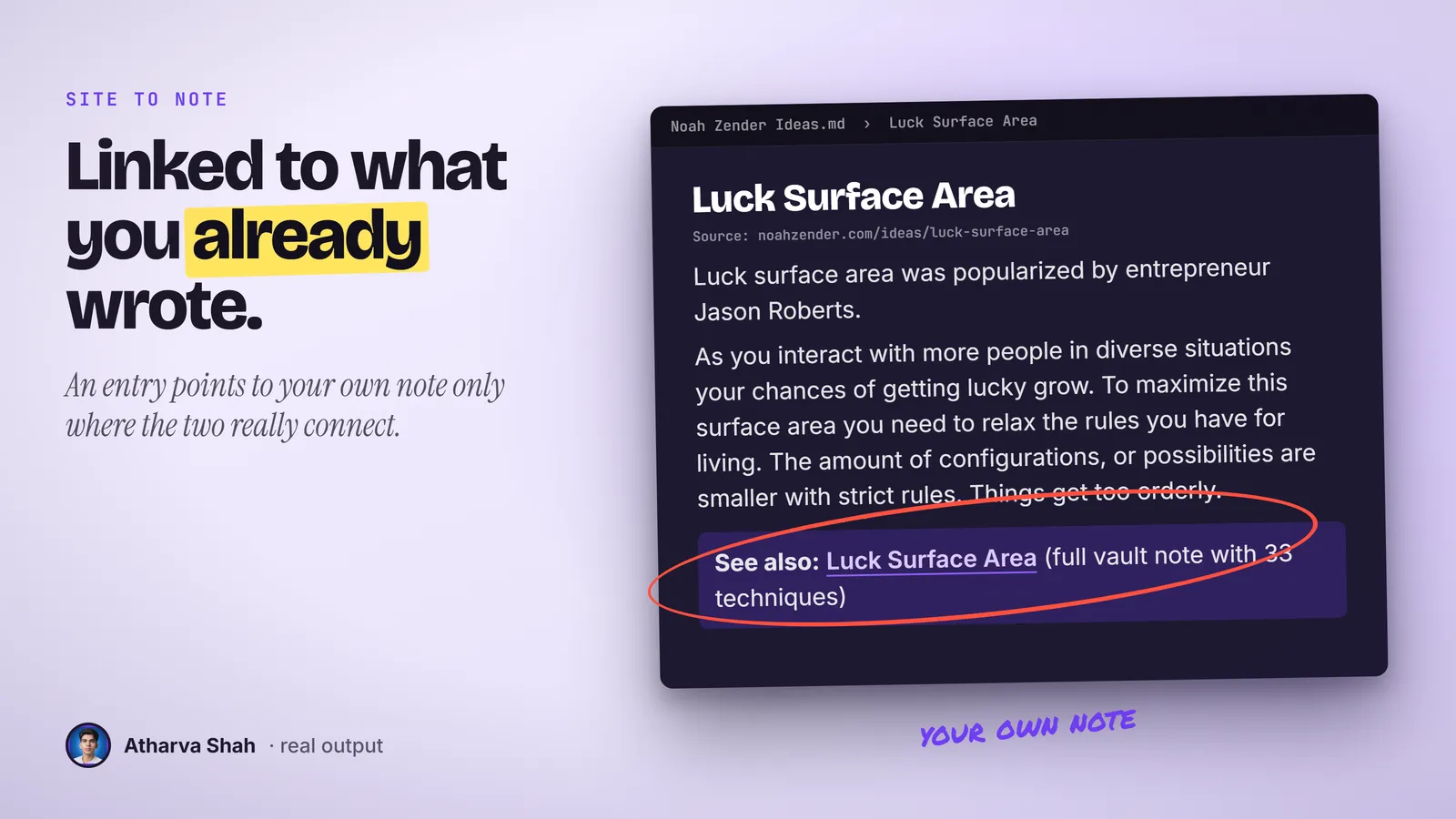
- It links everything. A script links entries that name each other, with no guesses. Then agents link the new note to your existing notes, both ways, only where the connection is real.
Web clippers save pages. They never connect them.
A clipper gives you 400 loose files. This skill gives you one file where every entry links to the ones it names and to your own notes.
Site to Knowledge Note
- Whole site in one run. Parallel agents fetch every entry in full.
- Counted and checked. The entry count must match the index.
- Links with no guesses. A script links entries that name each other.
- Wired to your notes. Genuine links in both directions, a few per note.
Web clippers
- One page per click. 400 entries means 400 clicks.
- Loose files. Each page lands alone with no links between them.
- No count. Nothing tells you which pages you missed.
- No tie to your notes. The clips never meet what you already wrote.
Bookmarking the site
- Sites disappear. The domain lapses and the library goes with it.
- No offline search. You search their site, one page at a time.
- No connections. Their ideas never meet your own.
- You forget it exists. The bookmark sits in a folder you never open.
It links into your notes, where they already live.
You set the folder for new notes, the folders it may scan, and how many agents your machine can take. It adds only links a reader would agree with, a few per note at most. Single-word titles stay unlinked by default because they match too often.
Questions about Site to Knowledge Note
How do I convert a website to markdown for an LLM?
Fetch each page, strip navigation, and keep headings and links. This skill does it for every entry of an index page and merges them into one linked file.
What sites does it work on?
Any site with an index page that links to its entries: ideas libraries, glossaries, wikis, docs sets, and blog archives. It handles 50 to 500 entries or more.
Does it summarize the pages?
No. It keeps the full body text of each entry, word for word, with the source URL and any tags.
Does it work with Obsidian?
Yes. It writes standard markdown with double-bracket links in UTF-8 without a byte order mark, which Obsidian reads cleanly. Any markdown notes app works.
Will it add wrong links?
The link script only links full multi-word titles and never links an entry to itself. Agents add a few links per note and only where the connection is real.
Can I run it twice?
Yes. The linker skips text that is already linked, so a second run adds nothing twice.
Which Claude plan do I need?
A paid plan with Claude Code. A 500-page site uses a lot of fetches, so a Max plan finishes big sites in one sitting.
What else do I pay for?
Nothing for most sites. Sites that need a browser to render may need a scraping service with its own pricing.
Is scraping allowed?
It depends on the site. Read its terms, keep the note for your own study, and never republish the content.
What if some entries come back empty?
Image-only pages have no text to keep. It lists them in the note header so you know which ones to read on the site.
Does this skill work with Gemini CLI, Codex, Cursor, or GitHub Copilot?
Yes, with one caveat. The skill is a SKILL.md folder in the Agent Skills open standard, which Claude Code, Codex CLI, Gemini CLI, Cursor, and GitHub Copilot all load. It is built and tested on Claude Code. Steps that lean on Claude-only features, such as parallel subagents, run one after another or need a manual step in other agents.
How do I install an agent skill?
Copy the skill folder into your agent's skills directory: ~/.claude/skills for Claude Code, or the skills folder your agent documents for Codex CLI, Gemini CLI, Cursor, or Copilot. The agent reads the description and loads the skill when your request matches it. Each skill ships with a setup guide for any tool it needs.
Related skills
- Talk to Illustrated Notes: Turns a YouTube talk into notes that carry the real slides and diagrams inline.
- Photo Filename Annotator: Renames every photo from what is in the frame, so a camera roll becomes searchable.
- Code Chats to Content: Mines a quarter of your Copilot chats for the problems worth writing about.
- Deep Research Librarian: Finds the playbooks, courses, videos, and practitioners on a topic and files them.