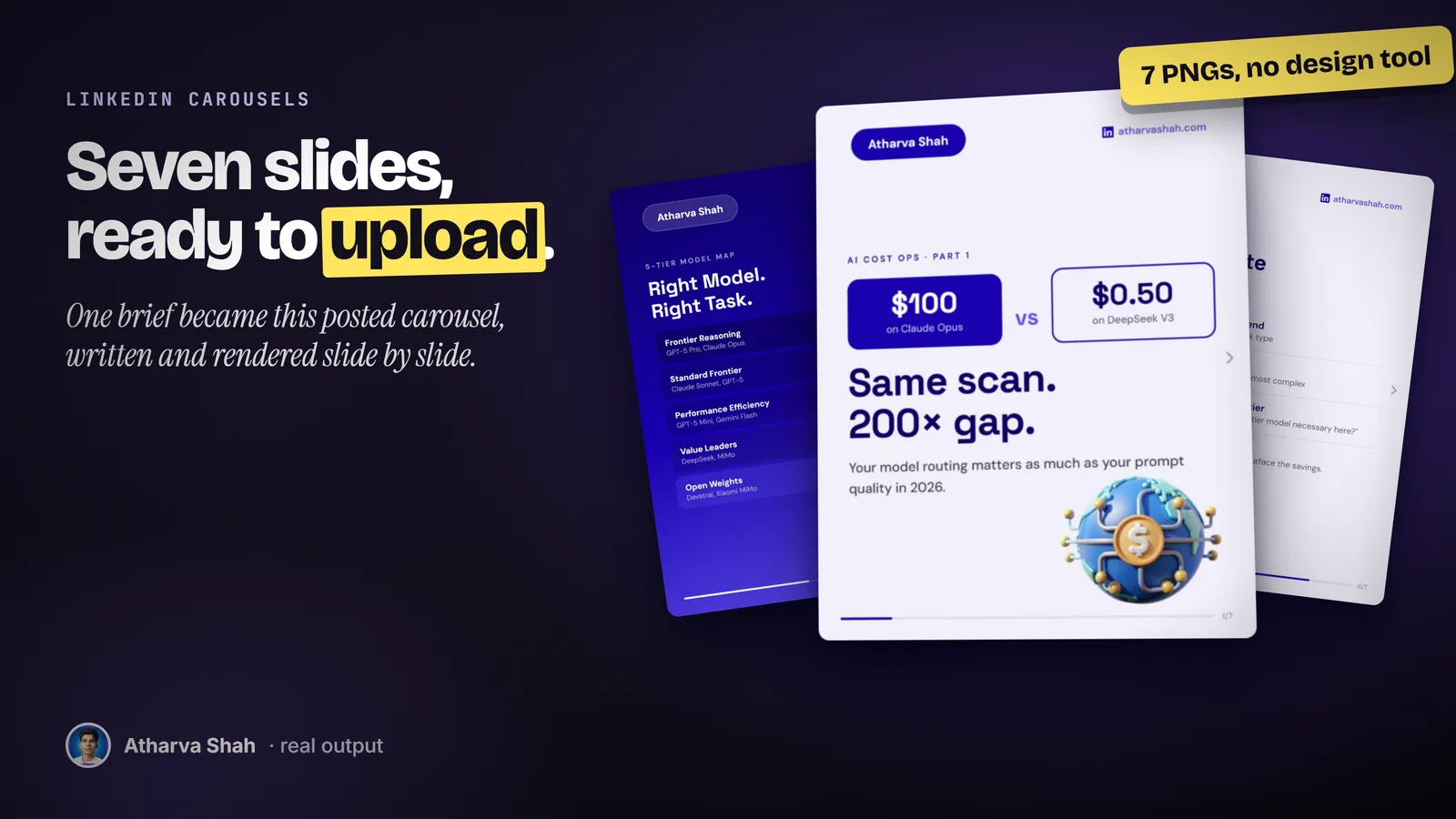
One brief in. Seven upload-ready PNGs.
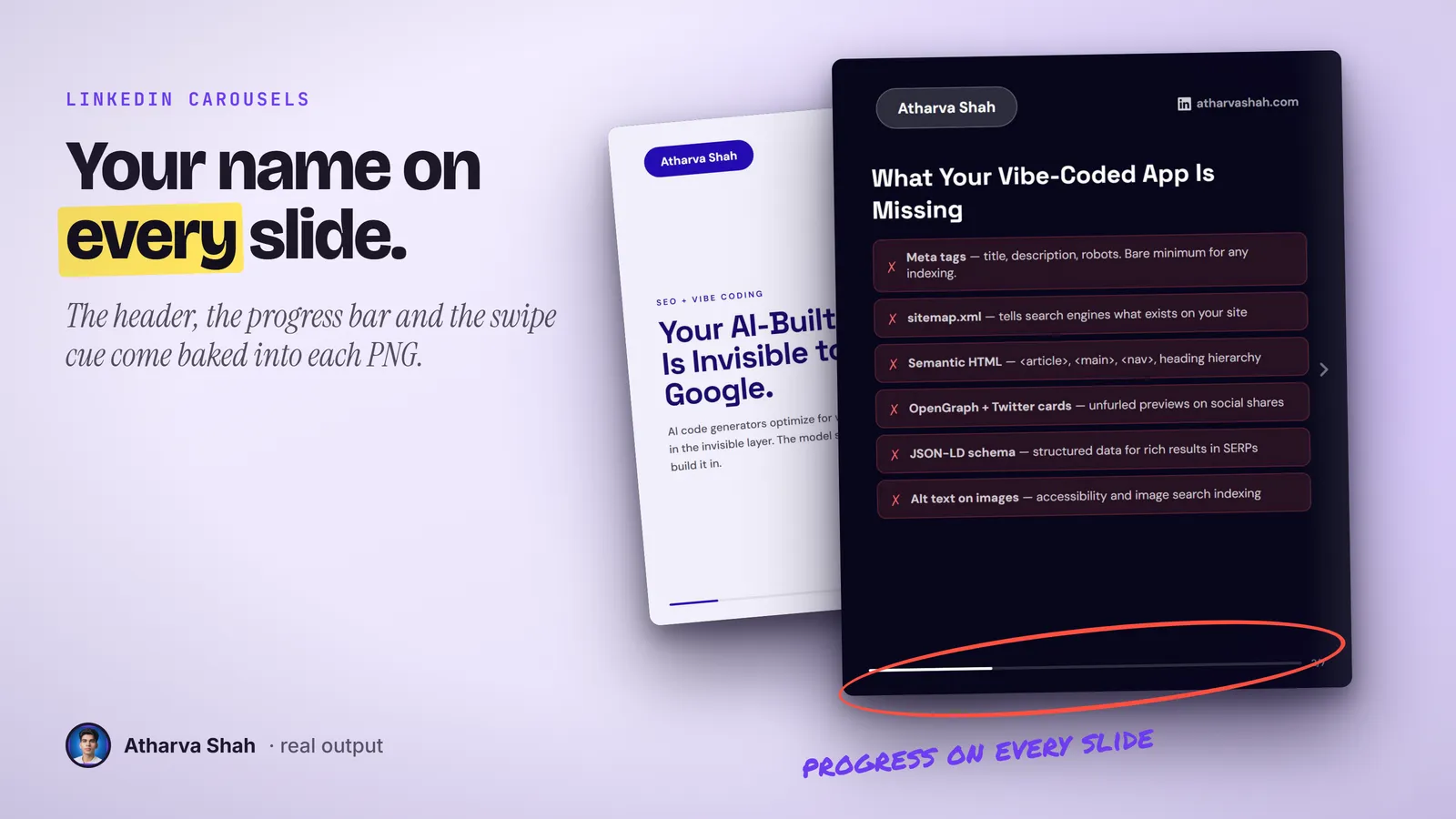
Describe the topic and it plans the slide order, writes the copy, and renders every slide at 1080 by 1350 in your brand colors. Your name, a progress bar, and a swipe cue sit on every slide.
Built by Atharva Shah. LinkedIn Carousels costs $19, paid once. Buy LinkedIn Carousels. The skill folder and setup guide arrive by email.
LinkedIn Carousels at a glance
LinkedIn Carousels is an AI agent skill for Claude Code, Codex CLI, Gemini CLI, and other agents that read SKILL.md. Swipeable carousels with every slide exported as a PNG from one brief. Best for: LinkedIn carousel maker AI.
- Works with
- Claude Code, Codex CLI, Gemini CLI, Cursor, GitHub Copilot
- Category
- Everyday social
- Price
- $19, one payment
- Requirements
- Needs a paid Claude plan with Claude Code, plus Python and Playwright, both free, to render the PNGs. The setup guide covers the install.
- Included
- Seven slide layouts, Brand setup file, Contrast and size checks, PNG export at 1080 by 1350
What LinkedIn Carousels produces

You write the brief. It does the layout.
Set your brand once. Each carousel after that takes three steps.
- Describe the topic. Paste a post, an article, or a rough list. It picks a proven post format first, because the format decides what goes on each slide.
- Approve the slide plan. You see every slide as one line of text. Move, cut, or merge slides before anything renders.
- Upload the PNGs. Every slide exports as its own image with your header, a progress bar, and a swipe arrow baked in. Upload them in order.
Templates look like templates.
Design apps hand you a layout and leave the writing to you. Designers do the reverse and charge per round.
LinkedIn Carousels
- Copy and layout together. The slide plan and the words come from one brief.
- Your brand on every slide. Color, fonts, name, and site come from your setup.
- Readable by rule. Contrast and minimum text size are checked on every slide.
- One payment. Plus the Claude plan you already use.
Carousel template apps
- You still write every slide. The template only gives you boxes to fill.
- The same look as everyone. Your carousel matches the ten above it in the feed.
- Text that overflows. Long lines spill past the margin or shrink to unreadable.
- A monthly plan. The export button sits behind the paid tier.
Freelance designers
- Days per carousel. The topic is stale by the time the files arrive.
- You write the copy anyway. Most designers lay out the words you send them.
- Revisions cost extra. One typo fix becomes a new round.
- A bill per carousel. The cost grows with every post.
It designs in your brand, every slide.
Setup asks for your name, your site, one brand color, and two fonts. From that it builds a light background, a dark background, and a gradient, all tinted with your color. The slides alternate light and dark so the swipe has rhythm. Change the setup once and every future carousel follows it.
Questions about LinkedIn Carousels
Which AI can make carousel posts?
Design tools make them from templates. This skill plans the slide order, writes the copy, and exports each slide as a PNG from one brief inside Claude or Codex.
What is the recommended size for a LinkedIn carousel?
A 1080 by 1350 portrait slide shows the most in the feed. The skill exports that size.
Which Claude plan do I need?
A paid plan with Claude Code, because the slides render on your machine. Pro is enough.
What else do I need to install?
Python and Playwright. Both are free. The setup guide walks through them once.
What size are the slides?
Each slide is a 1080 by 1350 PNG, the portrait size LinkedIn shows largest in the feed.
How many slides does it make?
Seven by default. It goes from five to ten when the topic needs it.
Can I use my own colors and fonts?
Yes. You set one brand color and two Google Fonts. It builds the light, dark, and gradient backgrounds from that color.
Does it use photos?
No. Slides use type, icons, and simple shapes, so there is no stock photo licence to worry about.
What happens when the text does not fit?
It drops the weakest list items and keeps the text at full size. It never shrinks text to squeeze more in.
Does it write the post that goes with the carousel?
It writes the call to action on the last slide. For the caption, pair it with a post writer.
What if my first carousel is off?
Say which slide feels wrong and why. It edits that slide and renders it again, and the other slides stay as they are.
Does this skill work with Gemini CLI, Codex, Cursor, or GitHub Copilot?
Yes, with one caveat. The skill is a SKILL.md folder in the Agent Skills open standard, which Claude Code, Codex CLI, Gemini CLI, Cursor, and GitHub Copilot all load. It is built and tested on Claude Code. Steps that lean on Claude-only features, such as parallel subagents, run one after another or need a manual step in other agents.
How do I install an agent skill?
Copy the skill folder into your agent's skills directory: ~/.claude/skills for Claude Code, or the skills folder your agent documents for Codex CLI, Gemini CLI, Cursor, or Copilot. The agent reads the description and loads the skill when your request matches it. Each skill ships with a setup guide for any tool it needs.
Related skills
- LinkedIn Posts: Posts in your voice that pick a proven format before they write a single line.
- X Posts: Standalone X posts with your take in the first six words, scored before you see them.
- Substack Notes: Short Notes written to bring new subscribers, not just likes from existing ones.
- Reel Scripts: Sixty-second scripts with the overlay text, the caption, and the pinned comment.