The skill that turns Claude into your video editor.
Describe the cut in plain English. Get back a clean edit with graded color, timed captions, and overlay animations, built from your own footage.
Built by Atharva Shah. Video Editing OS costs $49, paid once. Buy Video Editing OS. The skill folder and setup guide arrive by email.
Video Editing OS at a glance
Video Editing OS is an AI agent skill for Claude Code, Codex CLI, Gemini CLI, and other agents that read SKILL.md. Edit talking heads, tutorials, and montages by describing the cut in plain English. Best for: Claude Code video editing skill.
- Works with
- Claude Code, Codex CLI, Gemini CLI, Cursor, GitHub Copilot
- Category
- Video and film
- Price
- $49, one payment
- Requirements
- Needs a paid Claude plan with Claude Code, ffmpeg, and an ElevenLabs key for transcription. Output depends on video length and your plan limits.
- Included
- Step-by-step setup guide, Talking heads and montages, Project memory file, Windows and Mac
What Video Editing OS produces
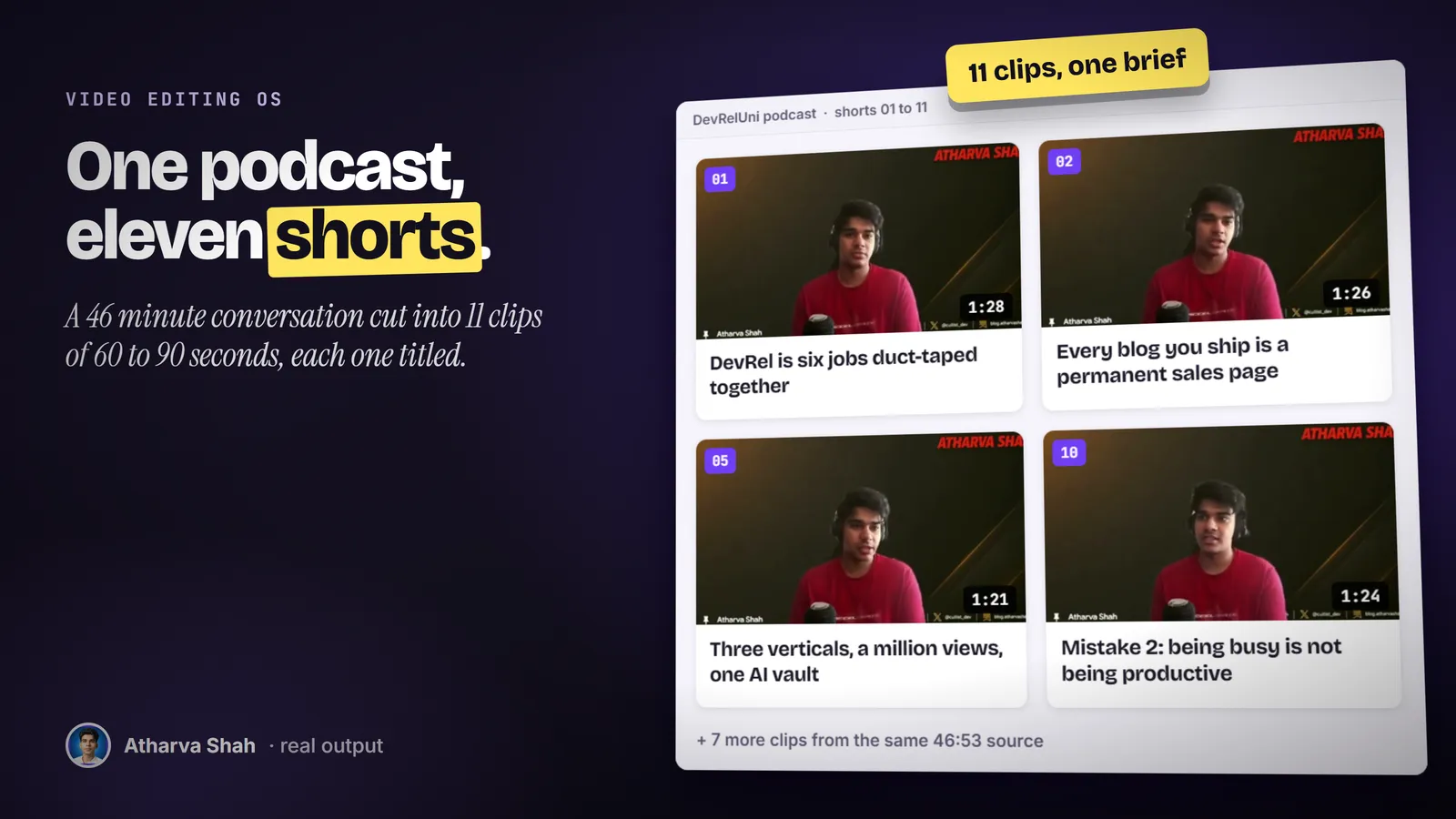
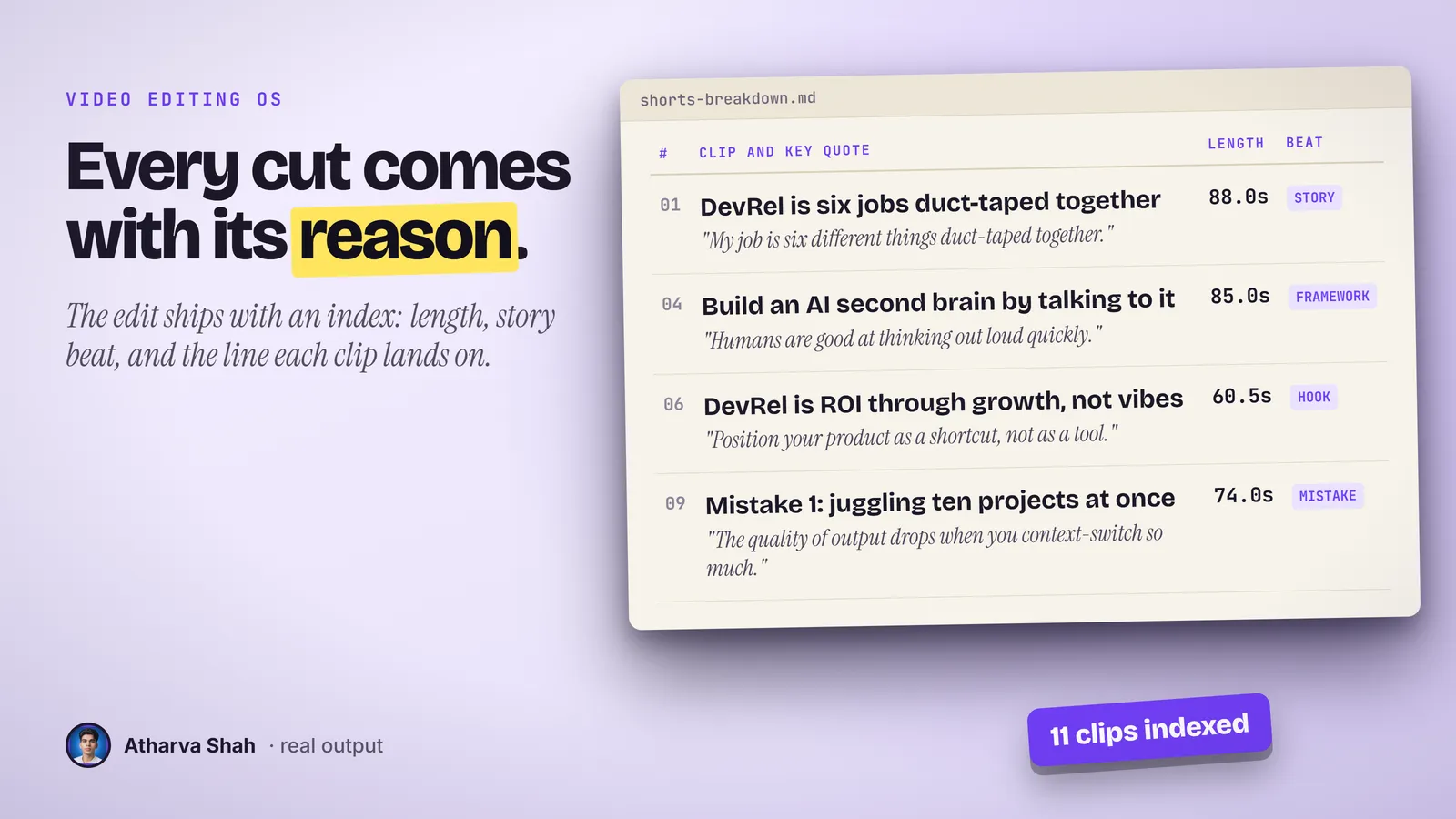
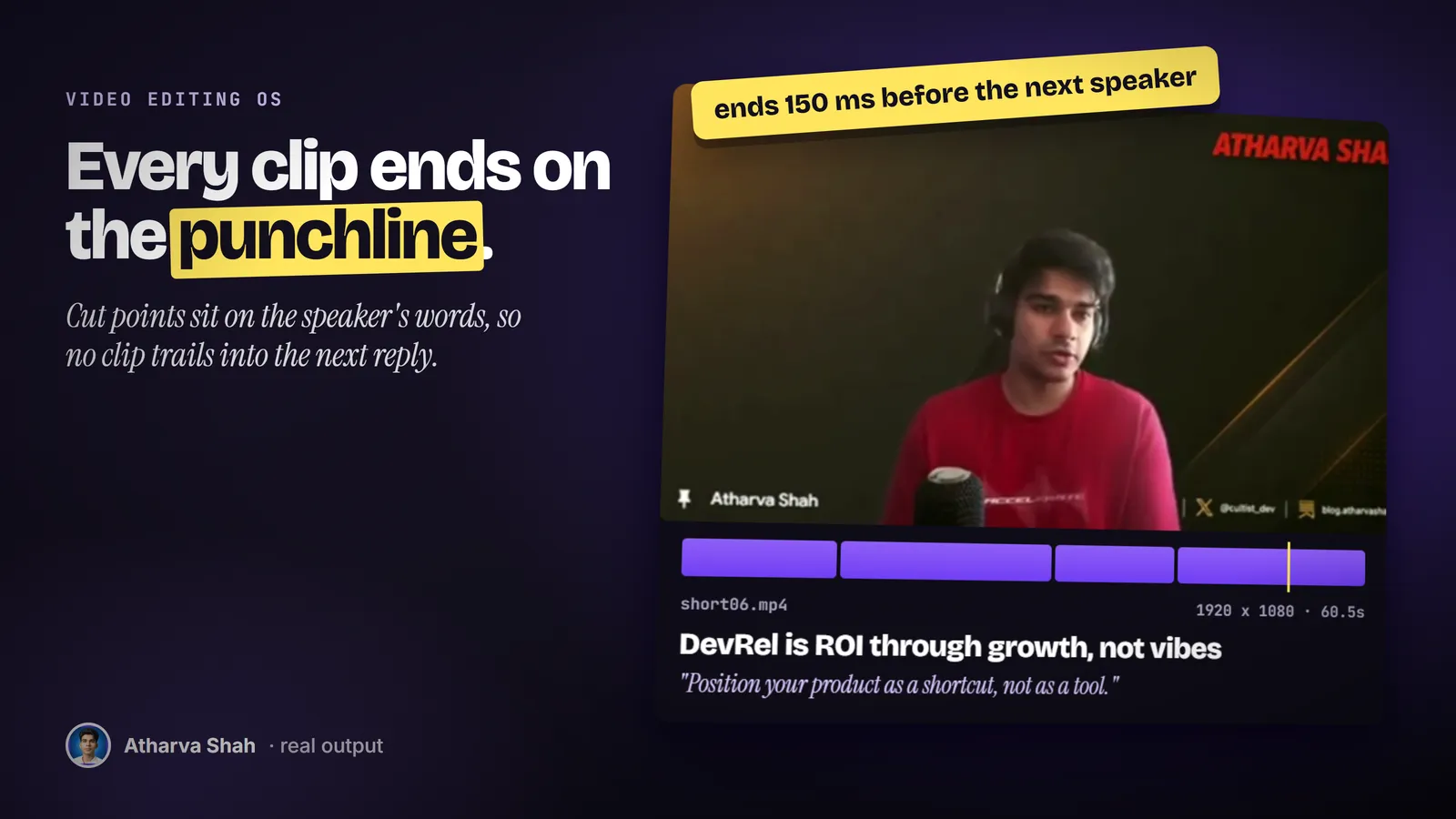
If you can describe the edit, you can make it.
You set it up once. After that, every video goes through the same three steps.
- Drop in your footage. One command transcribes every take word by word and caches it, so nothing gets transcribed twice.
- Describe the edit. Brief it like you would brief a human editor. It proposes a plan in plain English and waits for your yes.
- Give notes, get the final. Watch the preview, type what feels wrong, and render again. Vertical and horizontal come from the same edit.
The usual options are slow or generic.
Learning a pro editor takes months. Hiring one takes money and patience.
Video Editing OS
- Always available. It runs on your laptop at 2 a.m.
- Notes fixed in minutes. Type the change and watch the re-render.
- Asks before it cuts. You approve a plain-English plan first.
- One payment. Plus the Claude plan you already use.
Freelance editors
- Slow feedback loops. One caption fix can take three days and a v4 file.
- Their taste, not yours. Every editor brings the habits from their last client.
- Availability risk. They go quiet the week before your launch.
- A bill per video. The cost grows with every post you publish.
Template video apps
- The template look. Same captions as everyone else in the feed.
- Credits run out. Then you top up in the middle of an edit.
- Regenerate and hope. You get a new video, not the fix you asked for.
- Another monthly plan. Stacked on the ones you already pay for.
It edits in your style. Not a preset.
There are no presets and no menus. It reads the transcript, looks at the frames only where a decision needs it, and asks what you want. Every choice you approve goes into a project memory file, so the next video starts from what you already taught it. Bring references and clear notes, because better direction gives it a better target.
Questions about Video Editing OS
Can you edit video with Claude Code?
Yes. Claude Code can drive ffmpeg and a transcription API. This skill gives it the method: transcribe every take, propose a plan, cut on word boundaries, and check every cut in the rendered file before you see it.
Is there a video editing skill for Codex or Gemini CLI?
This skill uses the Agent Skills format, so Codex CLI and Gemini CLI can load it. The overlay animations run in parallel on Claude Code and one after another elsewhere.
Do I need editing experience?
No. If you can say "move the captions lower" or "cut that pause", you can give useful notes. The setup guide covers the rest.
Do I need to write code?
No. You install the tools once by following the guide, then you talk to Claude. If an error appears, you paste it back and it fixes the command.
What kinds of video does it handle?
Talking heads, tutorials, interviews, podcasts, travel footage, and montages. Montages can cut to the beat of a music track instead of to speech.
Does it cut inside words or leave audio pops?
No. Every cut snaps to a word boundary with a small pad, and every segment gets a short audio fade. It checks each cut in the rendered file before it shows you the preview.
Which Claude plan do I need?
A paid plan with Claude Code. Pro is enough to start. Long edits with many animations can hit usage limits, so you may wait for a reset.
What else do I pay for?
Transcription runs through an ElevenLabs key, which bills by audio minute. ffmpeg and the other tools are free.
How is this different from AI video apps?
It edits your real footage by your notes. You ask for a specific change and get that change, instead of a regenerated video and a credit charge.
Can I edit client videos?
Yes. Keep each client in its own folder, and each folder keeps its own project memory.
Will it run on 8GB of RAM?
Yes, though renders take longer. Close other apps and keep your first project short.
What if my first video is not great?
The first project is where it learns your taste. Keep it short, give clear notes, and the memory file carries those choices into the next one.
Does this skill work with Gemini CLI, Codex, Cursor, or GitHub Copilot?
Yes, with one caveat. The skill is a SKILL.md folder in the Agent Skills open standard, which Claude Code, Codex CLI, Gemini CLI, Cursor, and GitHub Copilot all load. It is built and tested on Claude Code. Steps that lean on Claude-only features, such as parallel subagents, run one after another or need a manual step in other agents.
How do I install an agent skill?
Copy the skill folder into your agent's skills directory: ~/.claude/skills for Claude Code, or the skills folder your agent documents for Codex CLI, Gemini CLI, Cursor, or Copilot. The agent reads the description and loads the skill when your request matches it. Each skill ships with a setup guide for any tool it needs.
Related skills
- AI Cinema Director: Locked character sheets and cinema-grade video prompts for Higgsfield and Seedance.