Turn any AI conversation into a crisp, post-ready image.
Paste the exchange and get each question and answer as a clean retina PNG with your name, your brand color, and highlighted code. No more browser crops.
Built by Atharva Shah. Chat Screenshot Studio costs $19, paid once. Buy Chat Screenshot Studio. The skill folder and setup guide arrive by email.
Chat Screenshot Studio at a glance
Chat Screenshot Studio is an AI agent skill for Claude Code, Codex CLI, Gemini CLI, and other agents that read SKILL.md. High-resolution images of a human and AI conversation, styled for a post or a slide. Best for: chat screenshot maker.
- Works with
- Claude Code, Codex CLI, Gemini CLI, Cursor, GitHub Copilot
- Category
- Visuals and decks
- Price
- $19, one payment
- Requirements
- Needs a paid Claude plan with Claude Code, Python, and the free Playwright browser for rendering. Panels use a light theme.
- Included
- Renderer script, Three sample conversations, Batch mode, Windows and Mac
What Chat Screenshot Studio produces
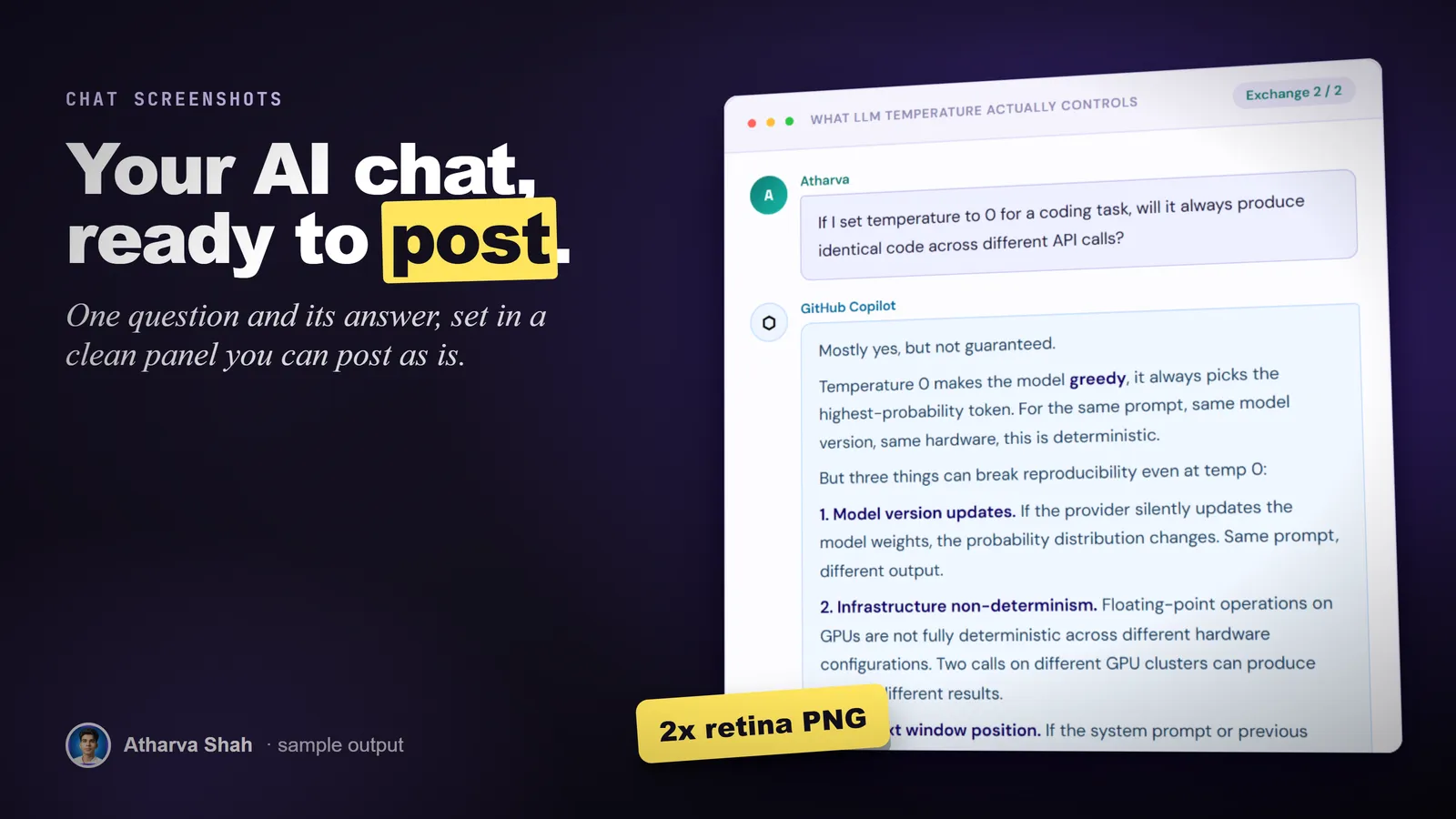
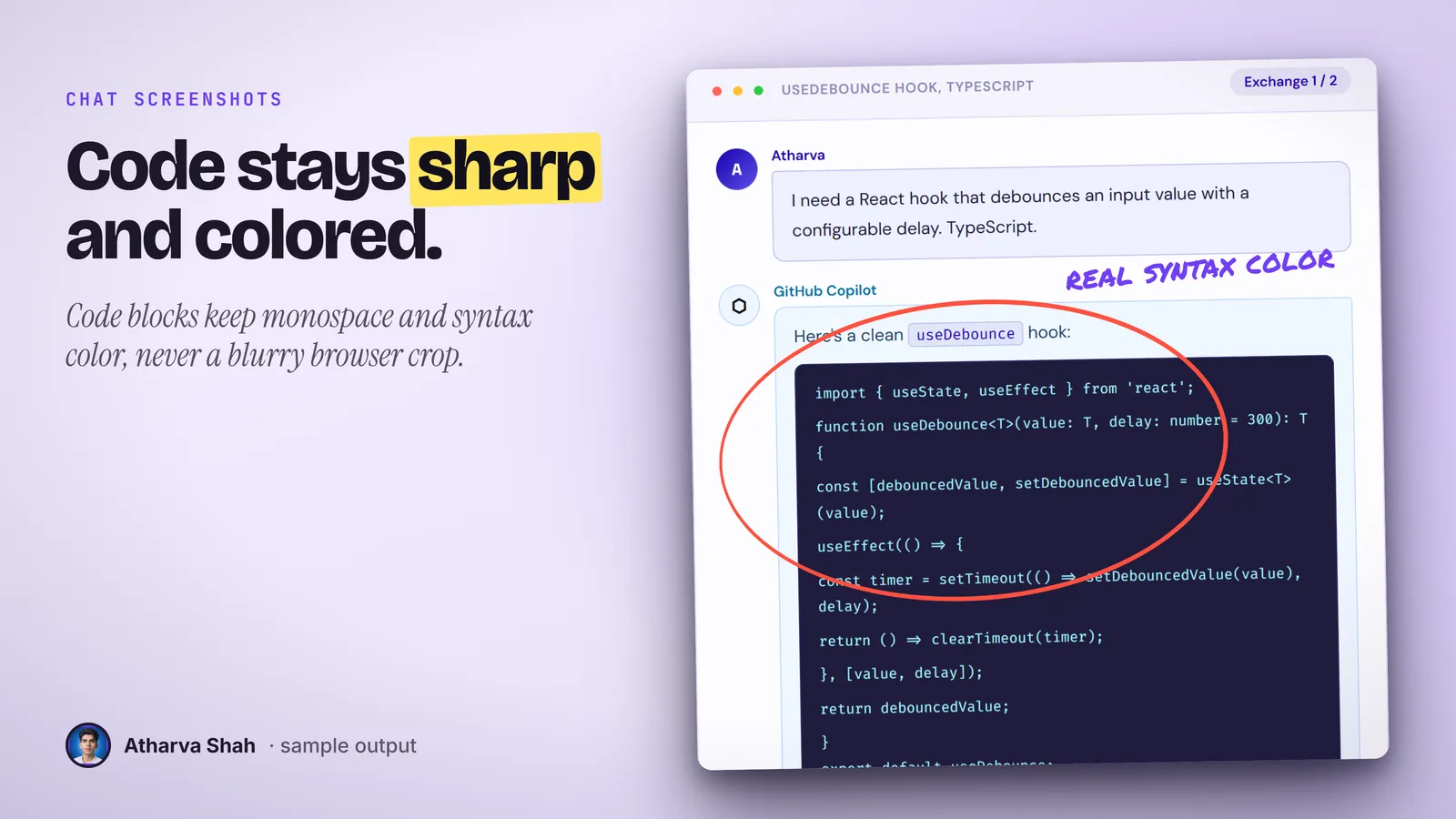
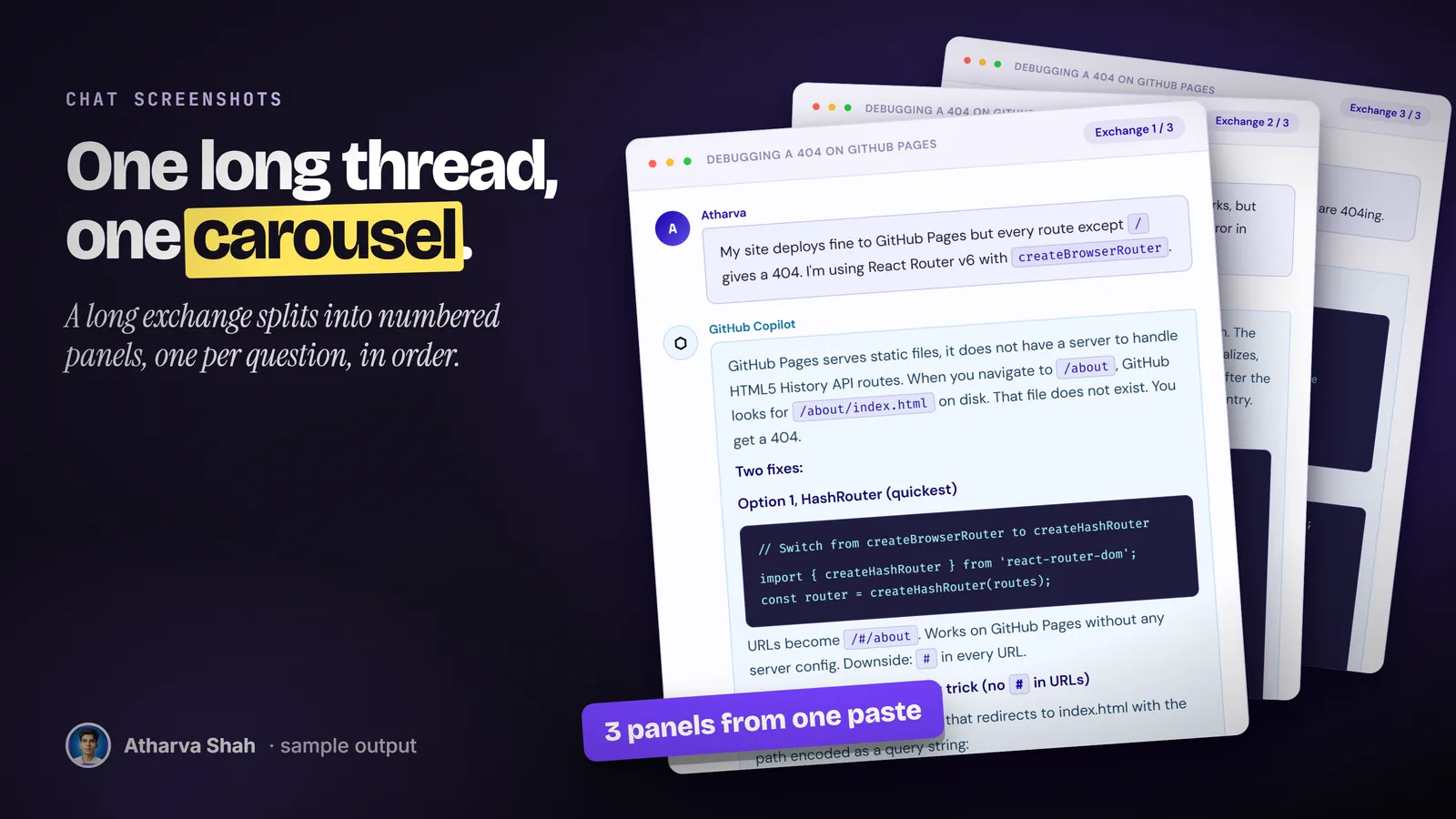
Paste the chat. Get the images.
You set your name, site, and color once. Every conversation after that takes three steps.
- Paste the exchange. Copy the questions and answers from any AI chat. Bold text, inline code, and code blocks all carry through.
- It renders one panel per exchange. Each question and answer pair becomes its own PNG at twice the screen resolution, with progress dots when there are several.
- Drop them into the post. The panels fit a blog post, a LinkedIn carousel, a slide, or a tutorial. It confirms the image count matches the exchange count.
Screenshots of chats look messy in a feed.
A browser capture carries your sidebar and your tabs. A design tool takes twenty minutes per image.
Chat Screenshot Studio
- One panel per exchange. Each question and answer gets its own clean image.
- Retina by default. Every PNG renders at twice the screen resolution.
- Your name and color. Labels, avatar, footer, and accent come from your setup.
- Batch a whole folder. Render every saved conversation in one command.
Browser screenshots
- Private clutter. Your chat history and tabs sit next to the answer.
- Blurry on phones. Screen resolution text goes soft in a feed.
- Long answers split badly. You stitch three captures together by hand.
- No brand. Nothing on the image says you made it.
Mockup design tools
- Retype every line. You paste text into a template bubble by bubble.
- Code looks wrong. Code blocks lose their spacing and color.
- Another subscription. Stacked on the tools you already pay for.
- Slow for a series. Ten images take an afternoon.
Every panel carries your name and your color.
You set the author name, the site, the accent color, and the labels over each bubble once. Rename the assistant to whichever model you used. After that, every conversation renders with the same look, so a series of posts reads as one set.
Questions about Chat Screenshot Studio
How do I make a clean screenshot of an AI conversation?
Render the exchange as its own image instead of cropping a browser. This skill does that at retina resolution with your name and brand color.
What does one image contain?
One question and one answer, inside a window frame with your name, the assistant name, and a footer with your site. Several exchanges get progress dots.
Does it handle code?
Yes. Fenced code blocks render with syntax color in a monospace font. Inline code and bold text carry through too.
Can I use it for any AI tool?
Yes. You set the assistant label to Claude, ChatGPT, Copilot, or any name. The words come from whatever chat you paste.
Does it support tables?
No. Markdown tables do not render inside a panel. Turn a table into a short list or a code block before you paste it.
Which Claude plan do I need?
A paid plan with Claude Code, because the renderer runs on your machine. Pro is enough.
What else do I pay for?
Nothing. Python and Playwright are free. The setup guide installs both in two commands.
Is there a dark theme?
The panels ship in a light theme. You can change the accent color and the labels. A dark version needs a change to the template.
How long can a message be?
Keep a question to four or five sentences and an answer to about fifteen, with one or two code blocks. Longer messages make a very tall image.
What if the first image looks off?
Tell it what to change, such as the color or the title. It edits the settings and renders again in seconds.
Does this skill work with Gemini CLI, Codex, Cursor, or GitHub Copilot?
Yes, with one caveat. The skill is a SKILL.md folder in the Agent Skills open standard, which Claude Code, Codex CLI, Gemini CLI, Cursor, and GitHub Copilot all load. It is built and tested on Claude Code. Steps that lean on Claude-only features, such as parallel subagents, run one after another or need a manual step in other agents.
How do I install an agent skill?
Copy the skill folder into your agent's skills directory: ~/.claude/skills for Claude Code, or the skills folder your agent documents for Codex CLI, Gemini CLI, Cursor, or Copilot. The agent reads the description and loads the skill when your request matches it. Each skill ships with a setup guide for any tool it needs.
Related skills
- Social Card Studio: Designed post images built from real screenshots and real output, rendered at 2x.
- TLDR One-Pager: Compresses a video, an article, or a PDF into one editorial page you can post.
- Terminal Diagrams: Dense monospace system maps and flowcharts from a one-line prompt, dark and light.
- Photo Carousel Planner: A raw camera roll becomes graded, grouped, captioned carousels on a posting schedule.