Your camera roll becomes a month of Instagram carousels.
Point it at a folder of raw photos and get graded, cropped, grouped carousels with captions and a closing art slide. Then it schedules two a day, and nothing goes live without your yes.
Built by Atharva Shah. Photo Carousel Planner costs $49, paid once. Buy Photo Carousel Planner. The skill folder and setup guide arrive by email.
Photo Carousel Planner at a glance
Photo Carousel Planner is an AI agent skill for Claude Code, Codex CLI, Gemini CLI, and other agents that read SKILL.md. A raw camera roll becomes graded, grouped, captioned carousels on a posting schedule. Best for: organize photos for Instagram post.
- Works with
- Claude Code, Codex CLI, Gemini CLI, Cursor, GitHub Copilot
- Category
- Visuals and decks
- Price
- $49, one payment
- Requirements
- Needs a paid Claude plan with Claude Code, Python with OpenCV, a Zernio account for Instagram scheduling, and a TypeSafe API key for grouping decisions, which costs cents per run. Instagram does not allow music on scheduled photo carousels, so the track goes in the caption.
- Included
- Grouping and grading pipeline, Captions and art closers, Covers grid for feed check, Two-a-day scheduler
What Photo Carousel Planner produces
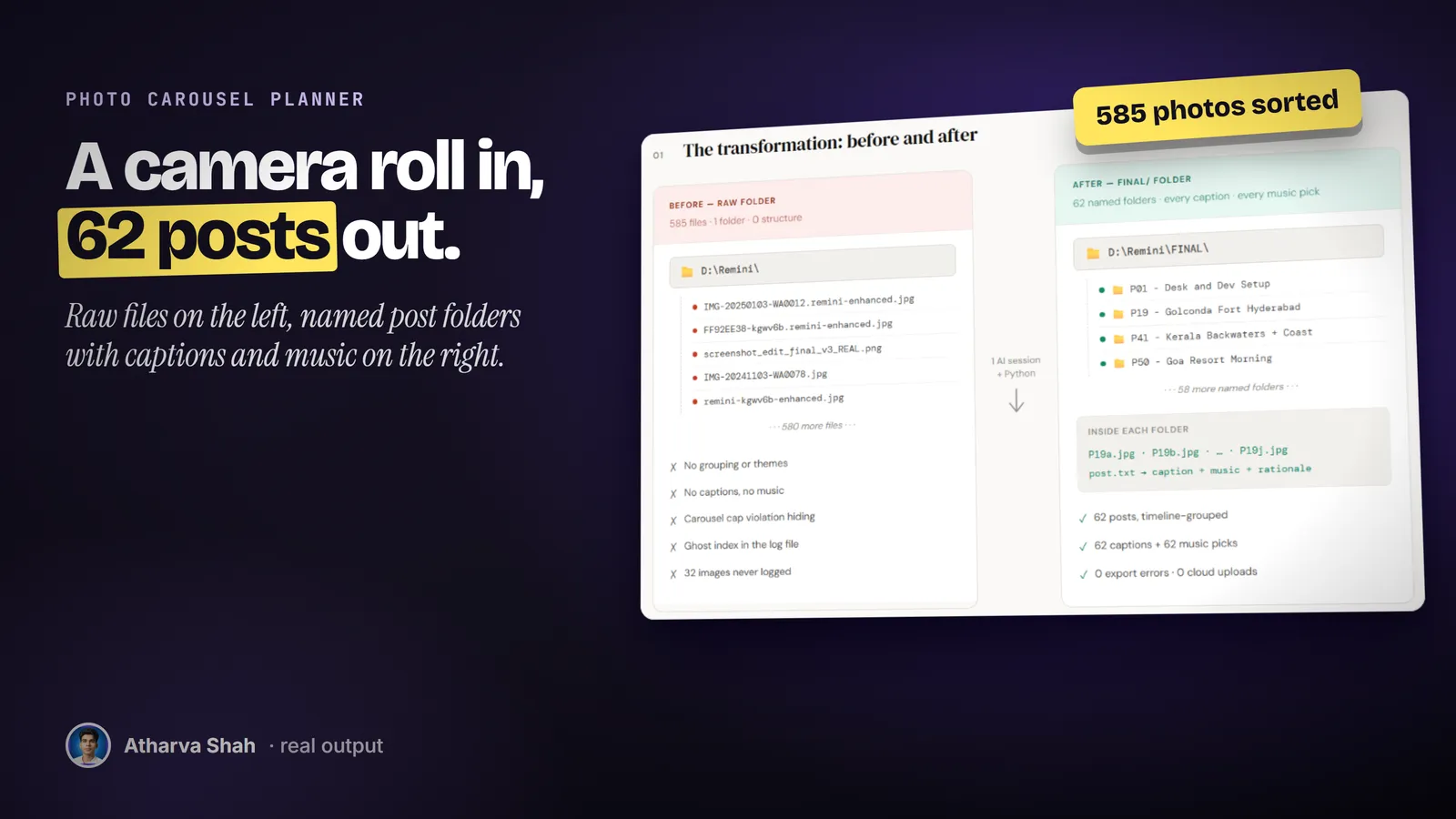
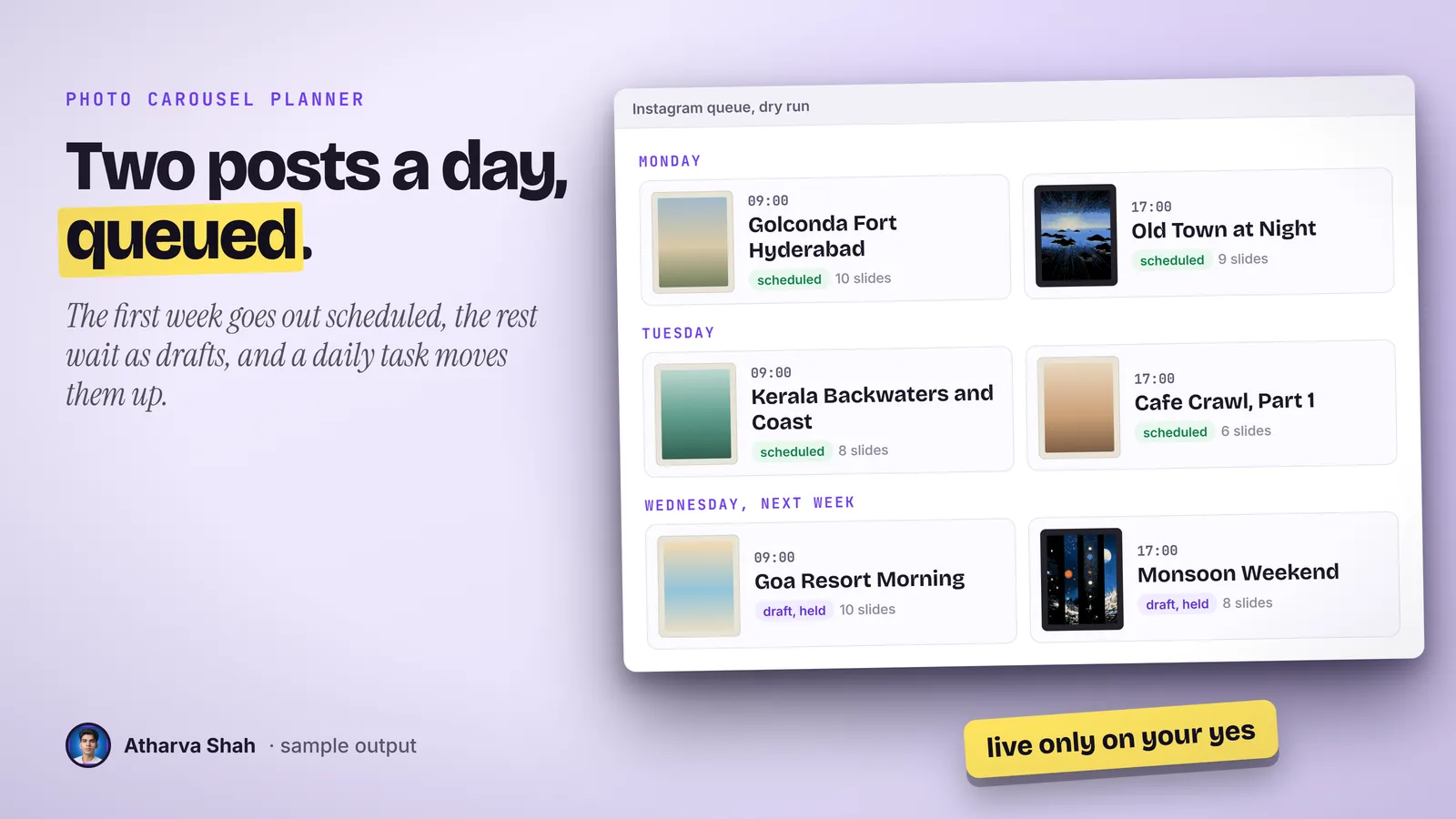
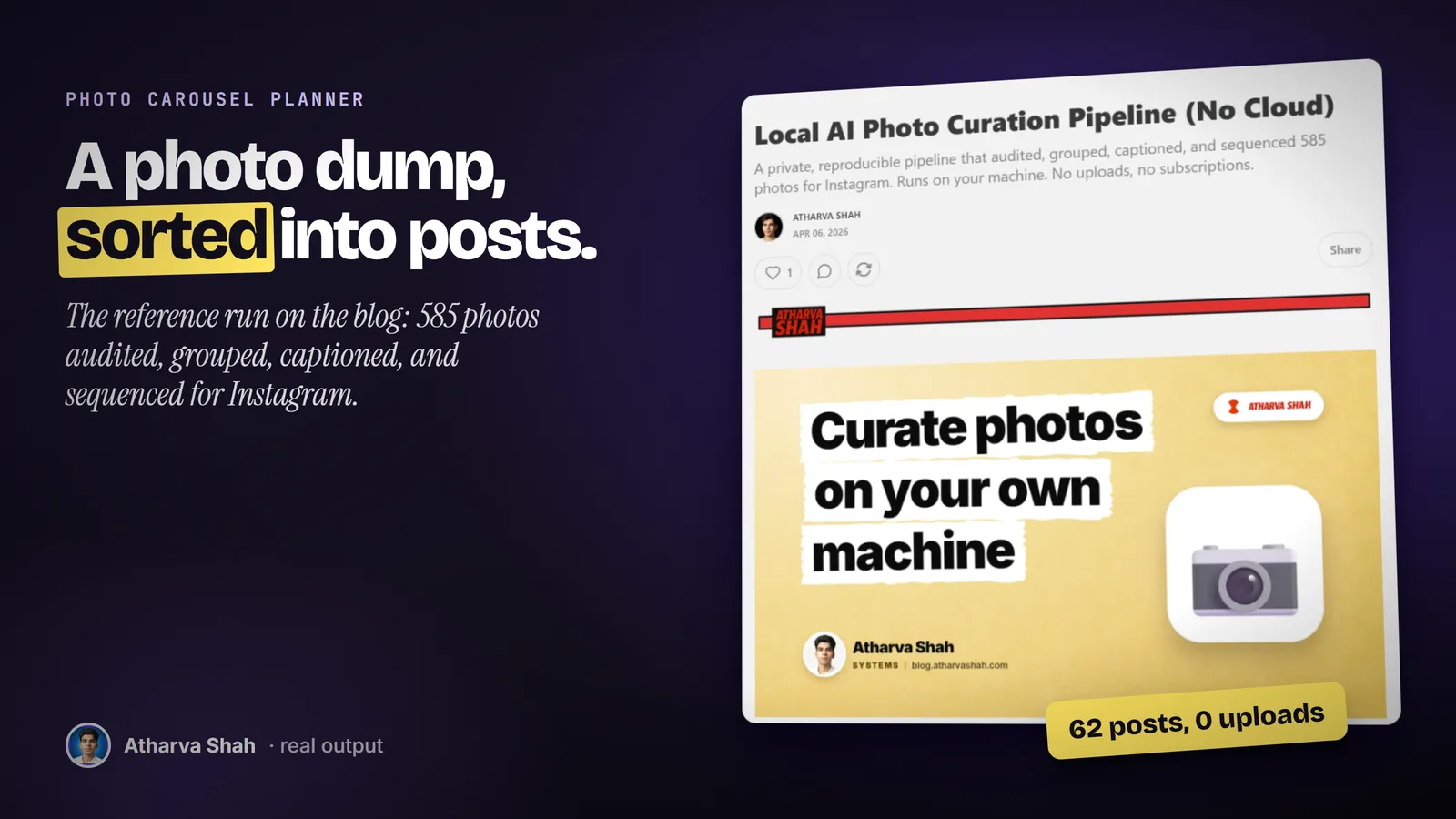
If you have the photos, you have the posts.
You set it up once. Every photo dump goes through the same three steps.
- Point it at the folder. It builds contact sheets, and Claude subagents describe every frame: subjects, people, time of day, and whether it crops to portrait.
- Review the carousels. It groups, grades, crops, and captions each post, then flags weak or duplicate frames. You answer keep or drop, and it rebuilds.
- Approve the schedule. It prints the plan, two slots a day, and creates the posts only after your yes. A daily task queues the next week.
The usual options take a weekend or look canned.
Editing by hand eats the weekend. Preset apps give every feed the same filter.
Photo Carousel Planner
- Grouped by scene. Big folders split, small ones join a neighbor.
- Faces lit first. Every face lands at a bright, even level.
- Nothing dropped alone. Weak frames are flagged, and you make the cut.
- Two a day, queued. A daily task keeps the next week scheduled.
Doing it by hand
- Hours of sorting. You drag hundreds of photos into piles one by one.
- Uneven grade. Faces come out dark in one post and bright in the next.
- Awkward crops. Portrait crops cut heads and horizons.
- Posting fatigue. The folder sits untouched after week two.
Preset filter apps
- The same filter. Your feed looks like every other feed with that preset.
- One photo at a time. No grouping, no captions, and no order.
- No faces pass. A filter darkens skin as often as it helps.
- Another subscription. Stacked on the scheduler you already pay for.
It grades in your look and follows your rules.
Every cut you make and every art veto goes into a rules file, so the next build respects it. You set the grade, the slide cap, and the art you never want as a closer. The closing art slide comes from your own saved collection, and the pipeline credits each artist in the caption.
Questions about Photo Carousel Planner
How do I arrange photos for an Instagram post?
Group shots by moment and location, lead with the strongest frame, and keep one crop ratio per carousel. The skill does that grouping and ordering for a whole folder at once.
Can AI organize my photos into Instagram carousels?
Yes. This skill describes each photo, groups related shots, writes a caption per post, and builds a posting queue you approve before anything goes live.
Which Claude plan do I need?
A paid plan with Claude Code. It runs subagents to describe your photos, so a large dump uses a fair share of your limits. Max handles big archives more comfortably than Pro.
What else do I pay for?
A Zernio account to schedule Instagram posts, and a TypeSafe API key for the grouping and cover decisions. A 469-photo run costs under two cents in TypeSafe calls.
Will it delete my photos?
No. It reads your source folders and never changes them. It writes edited copies into a separate posts folder.
Does it drop bad photos for me?
No. Every photo goes into a post. It flags weak and duplicate frames in a review file, and you decide what to cut.
Can the carousels have music?
Not through scheduling. Instagram only accepts audio on Reels through its API. The skill puts the track name in the caption so you can add it in the app.
Where does the closing art come from?
From a folder of art you have saved, such as your bookmarks. It scores each piece against each post and credits the artist in the caption.
Will it post without asking?
No. It prints a dry run of the full schedule first. Posts go live only after your explicit yes.
What if I edit a post after it is scheduled?
A scheduled post keeps the images it was created with. The skill has a refresh command that re-uploads any post whose folder changed.
What if my first batch is not great?
Mark the frames to drop and the crops that feel wrong. Your answers go into a rules file, and the rebuild uses them.
Does this skill work with Gemini CLI, Codex, Cursor, or GitHub Copilot?
Yes, with one caveat. The skill is a SKILL.md folder in the Agent Skills open standard, which Claude Code, Codex CLI, Gemini CLI, Cursor, and GitHub Copilot all load. It is built and tested on Claude Code. Steps that lean on Claude-only features, such as parallel subagents, run one after another or need a manual step in other agents.
How do I install an agent skill?
Copy the skill folder into your agent's skills directory: ~/.claude/skills for Claude Code, or the skills folder your agent documents for Codex CLI, Gemini CLI, Cursor, or Copilot. The agent reads the description and loads the skill when your request matches it. Each skill ships with a setup guide for any tool it needs.
Related skills
- Social Card Studio: Designed post images built from real screenshots and real output, rendered at 2x.
- TLDR One-Pager: Compresses a video, an article, or a PDF into one editorial page you can post.
- Terminal Diagrams: Dense monospace system maps and flowcharts from a one-line prompt, dark and light.
- Talk Deck Builder: A black, high-contrast PowerPoint for your own talk, with a meme after every claim.