Turn an hour of video into one page worth posting.
Give it a video, an article, a PDF, or a transcript. It reads the whole source and sets the argument as one magazine-style page with every number kept and the key lines highlighted.
Built by Atharva Shah. TLDR One-Pager costs $19, paid once. Buy TLDR One-Pager. The skill folder and setup guide arrive by email.
TLDR One-Pager at a glance
TLDR One-Pager is an AI agent skill for Claude Code, Codex CLI, Gemini CLI, and other agents that read SKILL.md. Compresses a video, an article, or a PDF into one editorial page you can post. Best for: one page summary generator.
- Works with
- Claude Code, Codex CLI, Gemini CLI, Cursor, GitHub Copilot
- Category
- Visuals and decks
- Price
- $19, one payment
- Requirements
- Needs a paid Claude plan with Claude Code, Python 3, and Playwright with Chromium. Web pages and PDFs read best through a scraping tool such as Firecrawl, which has a free tier. Pasted text needs nothing extra.
- Included
- Print-style page engine, Seven block types, Built-in lint, Two worked examples
What TLDR One-Pager produces
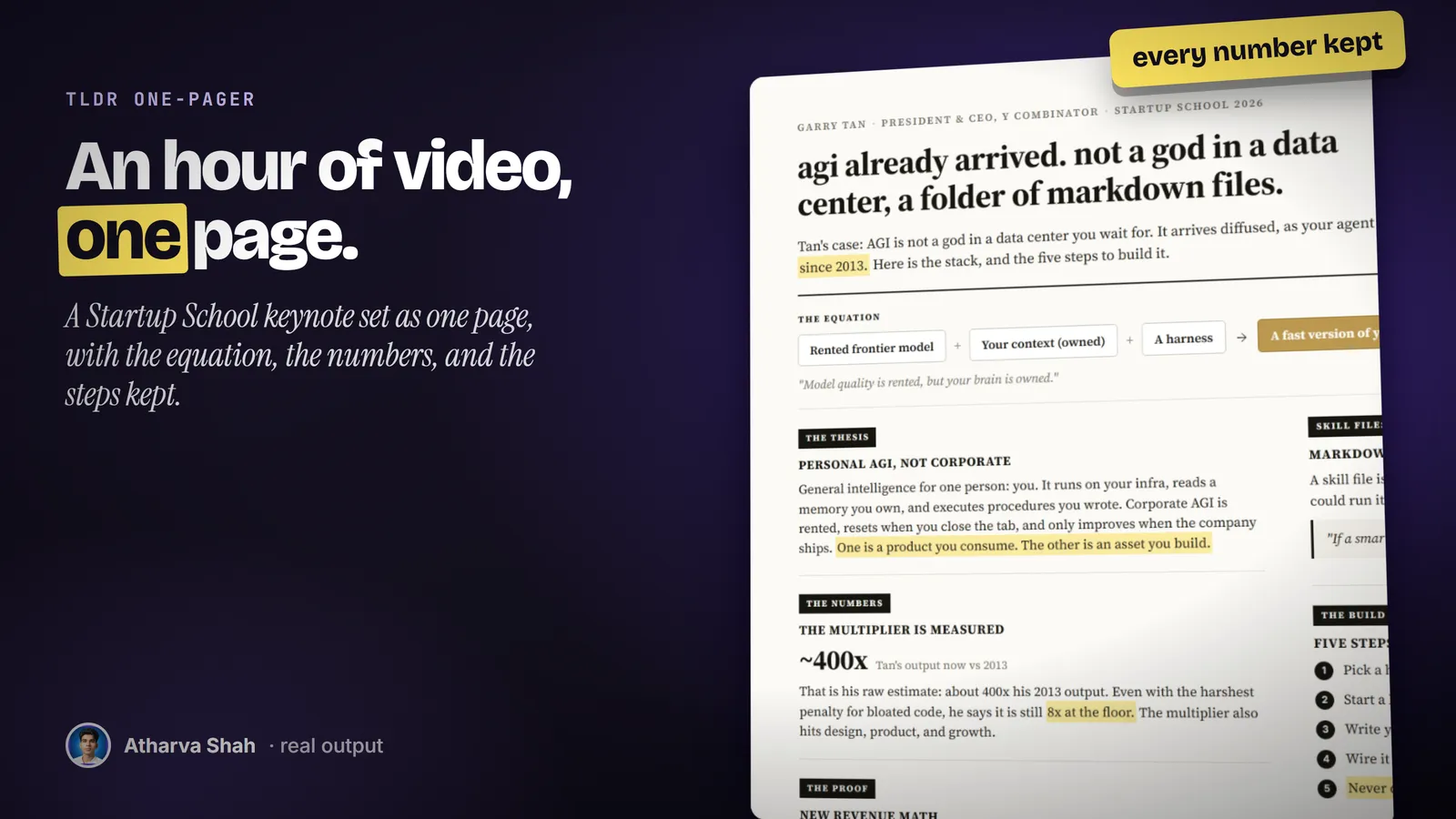
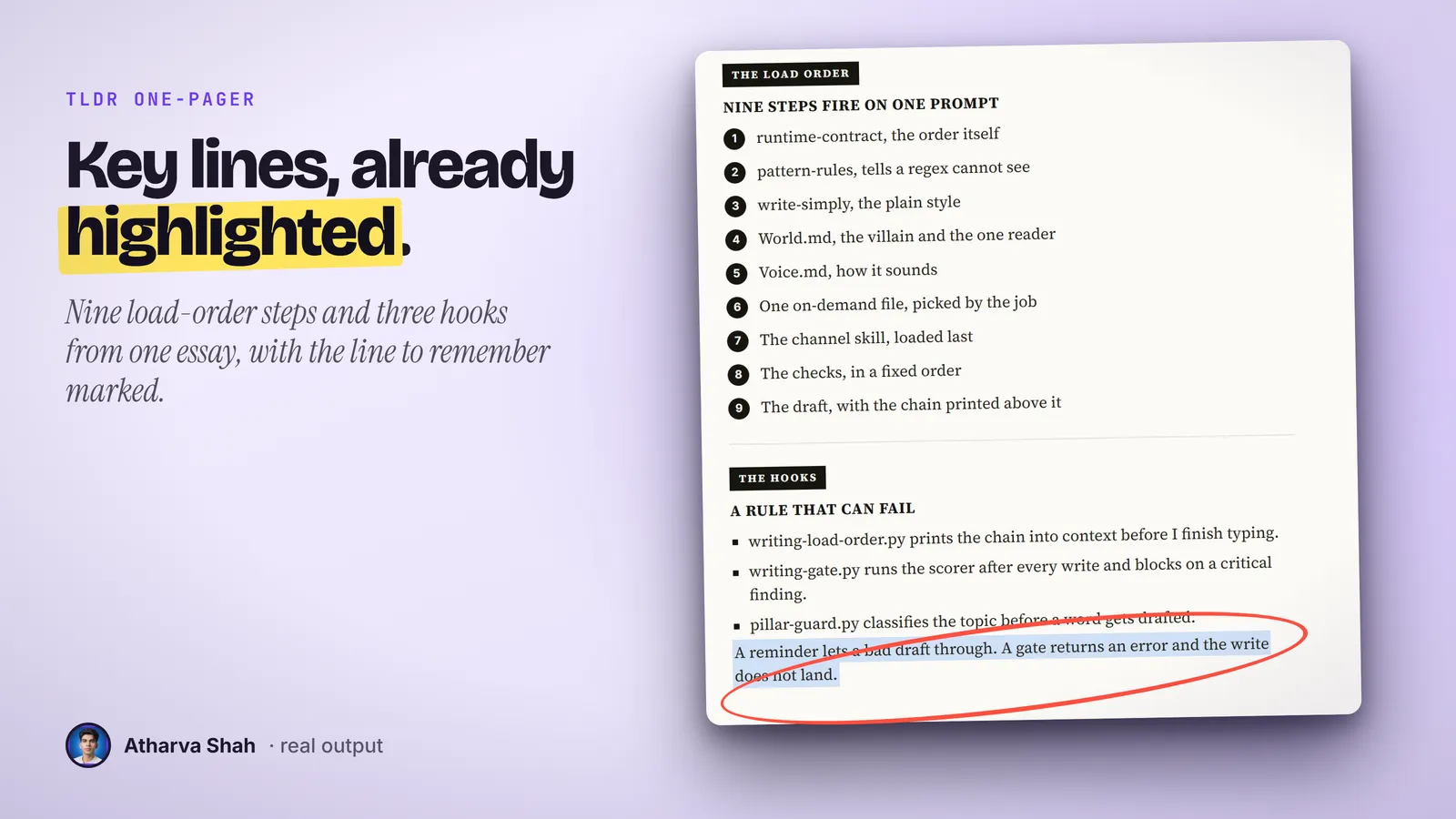
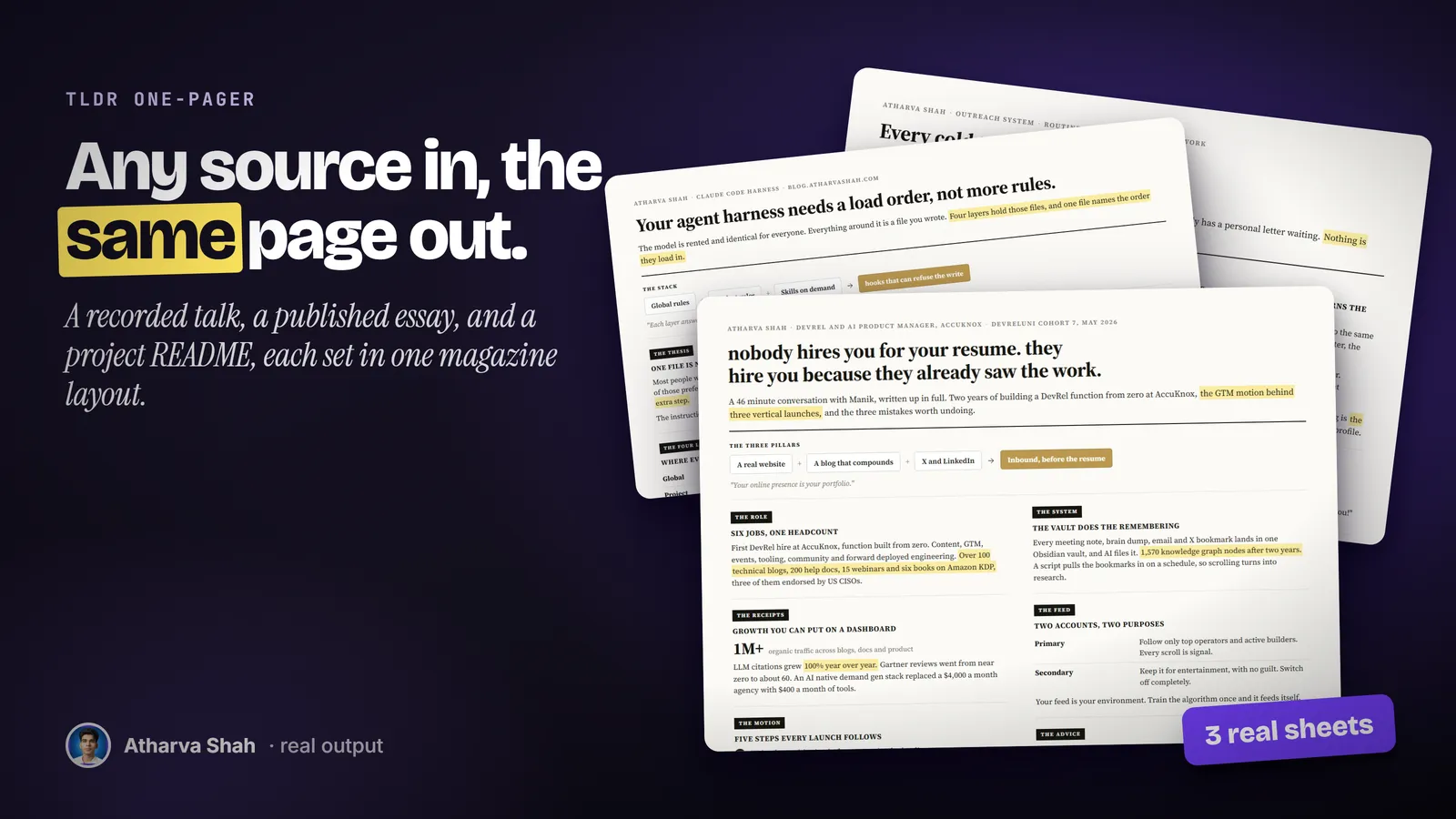
Read all of it, keep the numbers, set it like print.
The same loop runs for a podcast, a paper, or a thread.
- It reads the whole source. It pulls the full transcript, article, or document. It never writes from a title or a snippet, and it tells you when a source is too thin for a sheet.
- It writes the sheet. A headline that states the claim, a short standfirst, and five to eight labelled sections. Every date, dollar amount, and count survives the cut.
- It renders and checks. A headless browser renders the page at 2x. It looks at the proof, fixes what the lint flags, and hands you the final image.
Most AI summaries are a wall of bullets nobody shares.
Summary apps drop the numbers. Designing a page by hand takes an hour.
TLDR One-Pager
- One claim up top. The headline states what the whole source argues.
- Every number kept. The biggest figure gets its own line.
- A reading path. Highlights show a skimmer the lines that matter.
- Honest credit. The speaker goes in the kicker and the source in the footer.
Summary apps
- Bullet soup. Ten bullets of equal weight and no argument.
- Numbers dropped. The figures that made the source worth reading disappear.
- Text only. You still need a designer to make it postable.
- No credit line. The original speaker vanishes from the summary.
Designing it yourself
- An hour of layout. Columns, type, and spacing for every sheet.
- Hard to keep short. You keep everything because you read everything.
- Inconsistent look. Each sheet looks different from the last.
- Rework on edits. One new section breaks the whole layout.
The page keeps your handle and the author's credit.
Set your handle once and every sheet carries it in the footer next to the source. The headline copies the casing and register of the source, so a casual talk reads casual and a paper reads formal. You pick the width for the platform, and the page grows to fit the content.
Questions about TLDR One-Pager
Can AI turn a YouTube video into a one page summary?
Yes. The skill pulls the full transcript, finds the one claim the talk makes, and lays out the sections and numbers on a single page you can post as an image.
How is this different from an AI summarizer?
Summarizers return paragraphs. This skill returns a designed page with a headline claim, labelled sections, and highlighted lines, and it keeps every date and number from the source.
What sources does it take?
YouTube videos, web articles, PDFs, Word files, transcripts, meeting notes, papers, threads, local files, and pasted text.
Does it use an image model?
No. The page is HTML set in serif type and rendered by a headless browser, so the text is always correct.
How long is the page?
Under 600 words, in five to eight sections. The width is fixed and the height fits the content.
Can I post a summary of someone else's talk?
Yes, with credit. The speaker goes in the kicker and the citation in the footer, so the page never reads as your own argument.
Which sizes does it make?
1400 pixels wide by default and 1200 for LinkedIn, at 2x. PNG for sharp detail or JPG for feeds.
Which Claude plan do I need?
A paid plan with Claude Code. Pro handles a long video transcript in one session.
What else do I pay for?
Nothing required. A Firecrawl key helps with web pages and PDFs, and its free tier covers light use. YouTube transcripts use free tools.
Can I change the look?
Yes. The page is one HTML template with the fonts bundled, so you can change colors and type once and every sheet follows.
What if the first sheet is too dense?
Ask for fewer sections or a single column. The lint flags a sheet that runs long, and a fast 1x proof lets you check before the final render.
Does this skill work with Gemini CLI, Codex, Cursor, or GitHub Copilot?
Yes, with one caveat. The skill is a SKILL.md folder in the Agent Skills open standard, which Claude Code, Codex CLI, Gemini CLI, Cursor, and GitHub Copilot all load. It is built and tested on Claude Code. Steps that lean on Claude-only features, such as parallel subagents, run one after another or need a manual step in other agents.
How do I install an agent skill?
Copy the skill folder into your agent's skills directory: ~/.claude/skills for Claude Code, or the skills folder your agent documents for Codex CLI, Gemini CLI, Cursor, or Copilot. The agent reads the description and loads the skill when your request matches it. Each skill ships with a setup guide for any tool it needs.
Related skills
- Social Card Studio: Designed post images built from real screenshots and real output, rendered at 2x.
- Terminal Diagrams: Dense monospace system maps and flowcharts from a one-line prompt, dark and light.
- Photo Carousel Planner: A raw camera roll becomes graded, grouped, captioned carousels on a posting schedule.
- Talk Deck Builder: A black, high-contrast PowerPoint for your own talk, with a meme after every claim.