Post images that look designed, built from real proof.
Hand it a post. It picks the strongest fact, gathers real screenshots and real command output, and layers them into a card that reads at phone size. No image model draws anything.
Built by Atharva Shah. Social Card Studio costs $49, paid once. Buy Social Card Studio. The skill folder and setup guide arrive by email.
Social Card Studio at a glance
Social Card Studio is an AI agent skill for Claude Code, Codex CLI, Gemini CLI, and other agents that read SKILL.md. Designed post images built from real screenshots and real output, rendered at 2x. Best for: LinkedIn post image generator.
- Works with
- Claude Code, Codex CLI, Gemini CLI, Cursor, GitHub Copilot
- Category
- Visuals and decks
- Price
- $49, one payment
- Requirements
- Needs a paid Claude plan with Claude Code, Python 3, and Playwright with Chromium. All the tools are free. Free-license photos need the credit line the skill adds.
- Included
- HTML and CSS card kit, Twelve card concepts, 2x render script, Batch playbook
What Social Card Studio produces
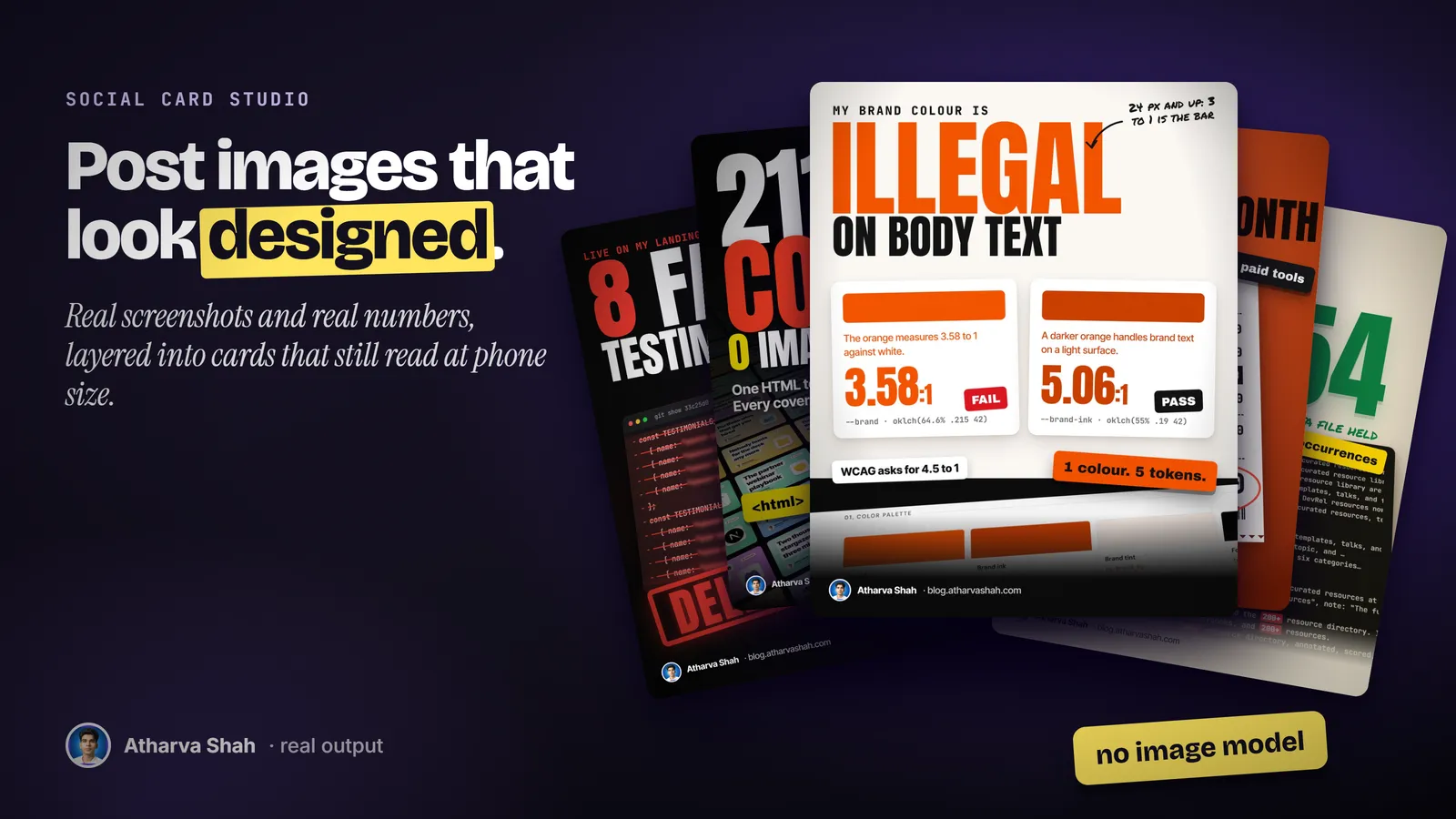
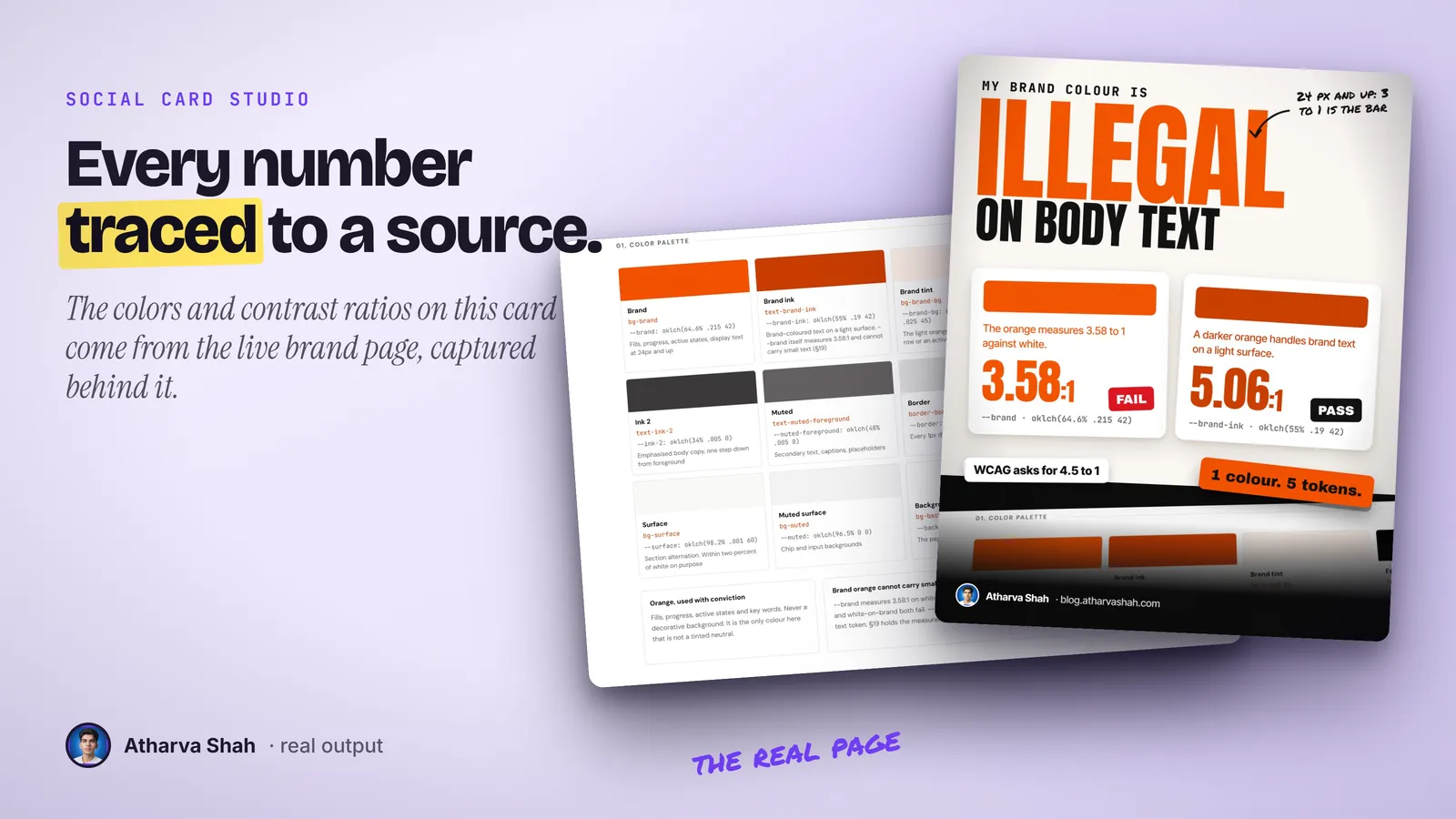
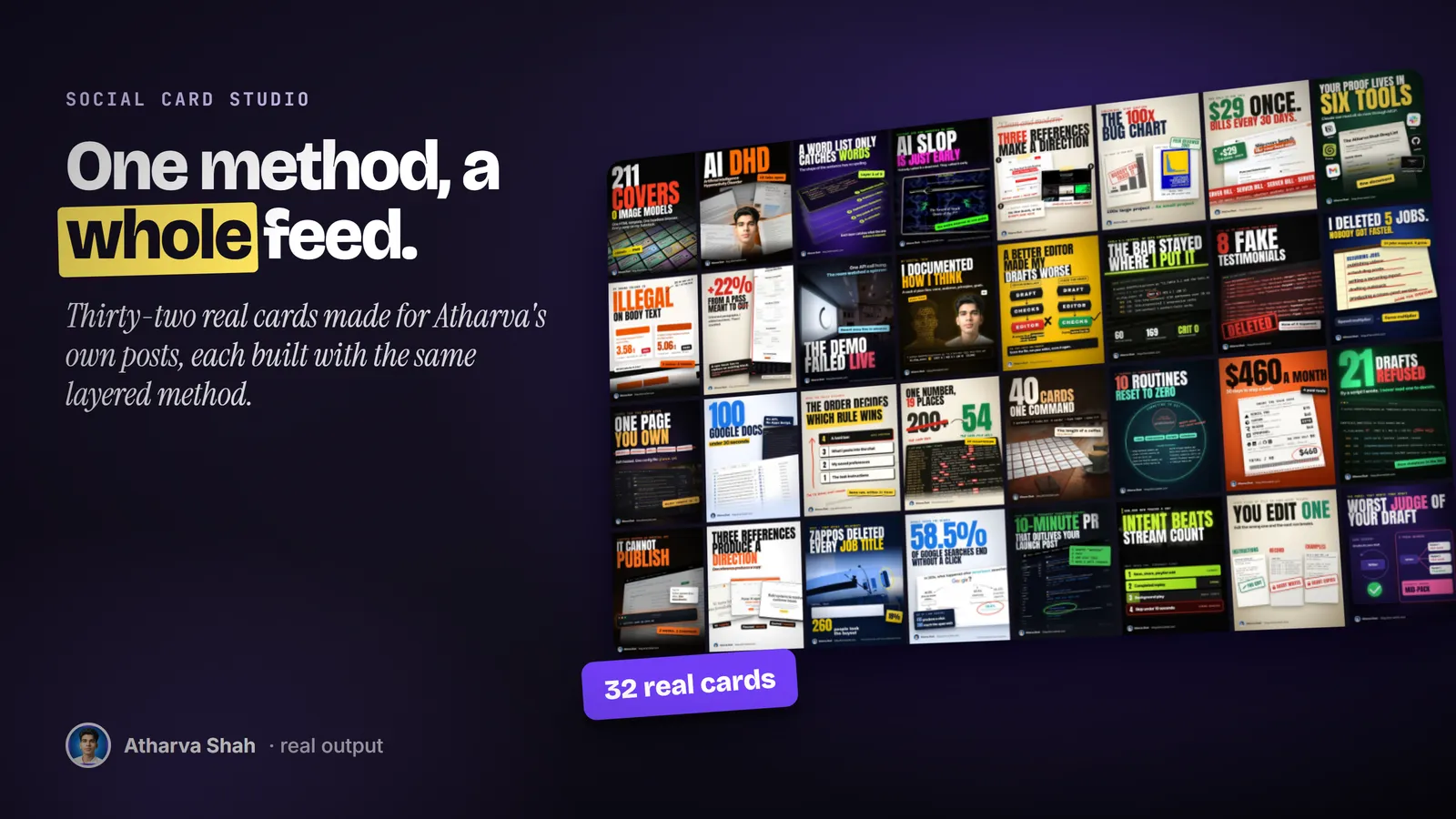
Real material, one idea, checked at phone size.
Every card follows the same six steps.
- Find the strongest fact. It reads the whole post and picks the one number, contrast, or correction the card should carry. Then it picks one of twelve concepts that fits that fact.
- Gather the real material. Live page screenshots at 2x, genuine command output, your own images, or free-license photos with credit lines. Nothing is generated.
- Render and check. Headless Chromium renders the card at 2x. It then reads the phone-size preview, fixes what would not ship, and renders again.
Most post images are either a template or a generated guess.
Template apps look like everyone else. Image models invent numbers and text.
Social Card Studio
- Real screenshots. The card shows the page, the output, or the receipt itself.
- Four layers. Background, hero object, type, and one accent, plus film grain.
- Every number sourced. A figure that disagrees with its source stays off the card.
- Batches in parallel. Ten posts become ten cards in one run.
Template design apps
- The template look. Your feed matches every other account using the same pack.
- Flat vector style. Clean shapes that nobody stops scrolling for.
- You do the layout. Twenty minutes of dragging boxes per post.
- A monthly plan. The good templates sit behind a subscription.
AI image generators
- Invented detail. Fake dashboards and fake numbers you cannot defend.
- Broken text. Headlines come back misspelled or melted.
- The generated look. Readers spot the glossy style in half a second.
- Credits per try. Every reroll costs, and the facts never improve.
Every card carries your brand mark and your proof.
You set it up once with your byline, your avatar, and your colors, and every card carries them in the same corner so a feed of your posts reads as one author. The material comes from your own work: your pages, your terminal, your numbers. Each batch gives neighboring cards different palettes, so a week of posts never looks repeated.
Questions about Social Card Studio
How do I make an image for a LinkedIn post with AI?
This skill builds the image in HTML from real material, such as a screenshot or a terminal result, then renders it at 2x. No image model draws anything, so every number on the card is true.
What size should a LinkedIn post image be?
A 1080 by 1350 portrait image fills the most space in the mobile feed. The skill renders that size by default and also outputs X and Instagram sizes.
Does it use an image model?
No. Every card is HTML and CSS rendered by a headless browser. The pictures on it are real screenshots, real output, or credited photos.
Which sizes does it make?
Portrait 4 by 5 for LinkedIn, X, and Instagram, plus wide, square, and newsletter inline sizes. Each renders at 2x.
Do I need design skills?
No. The skill picks the concept, the layout, and the palette. You approve the card or ask for changes in plain words.
Will it put fake numbers on my card?
No. Every word and number comes from your post. When the post disagrees with its own source, the number stays off and you get a note.
Can it make many cards at once?
Yes. More than five posts split into groups that run in parallel, and you review them on one contact sheet.
Which Claude plan do I need?
A paid plan with Claude Code. Pro handles single cards. Large batches work best on a higher plan because of usage limits.
What else do I pay for?
Nothing. Python, Playwright, and Chromium are free.
Does it post for me?
No. You get a PNG, a JPG, and alt text. You upload them with your post.
What if my first card looks off?
Tell it what feels wrong, such as small type or a busy background, and it renders again. The first few cards also set your palette and byline for the rest.
Does this skill work with Gemini CLI, Codex, Cursor, or GitHub Copilot?
Yes, with one caveat. The skill is a SKILL.md folder in the Agent Skills open standard, which Claude Code, Codex CLI, Gemini CLI, Cursor, and GitHub Copilot all load. It is built and tested on Claude Code. Steps that lean on Claude-only features, such as parallel subagents, run one after another or need a manual step in other agents.
How do I install an agent skill?
Copy the skill folder into your agent's skills directory: ~/.claude/skills for Claude Code, or the skills folder your agent documents for Codex CLI, Gemini CLI, Cursor, or Copilot. The agent reads the description and loads the skill when your request matches it. Each skill ships with a setup guide for any tool it needs.
Related skills
- TLDR One-Pager: Compresses a video, an article, or a PDF into one editorial page you can post.
- Terminal Diagrams: Dense monospace system maps and flowcharts from a one-line prompt, dark and light.
- Photo Carousel Planner: A raw camera roll becomes graded, grouped, captioned carousels on a posting schedule.
- Talk Deck Builder: A black, high-contrast PowerPoint for your own talk, with a meme after every claim.