One line in. A diagram that explains your system.
Ask for a system map, a pipeline, or a decision tree and get a monospace diagram sheet in dark and light. Every color means one thing, and both themes pass WCAG AA contrast.
Built by Atharva Shah. Terminal Diagrams costs $19, paid once. Buy Terminal Diagrams. The skill folder and setup guide arrive by email.
Terminal Diagrams at a glance
Terminal Diagrams is an AI agent skill for Claude Code, Codex CLI, Gemini CLI, and other agents that read SKILL.md. Dense monospace system maps and flowcharts from a one-line prompt, dark and light. Best for: Claude diagram skill.
- Works with
- Claude Code, Codex CLI, Gemini CLI, Cursor, GitHub Copilot
- Category
- Visuals and decks
- Price
- $19, one payment
- Requirements
- Needs a paid Claude plan with Claude Code, Python, and Playwright with Chromium. All the tools are free. Built for boxes-and-arrows diagrams, not for charts of numeric data.
- Included
- Rendering engine and bundled font, Four working example specs, Dark and light themes, Contrast checker
What Terminal Diagrams produces
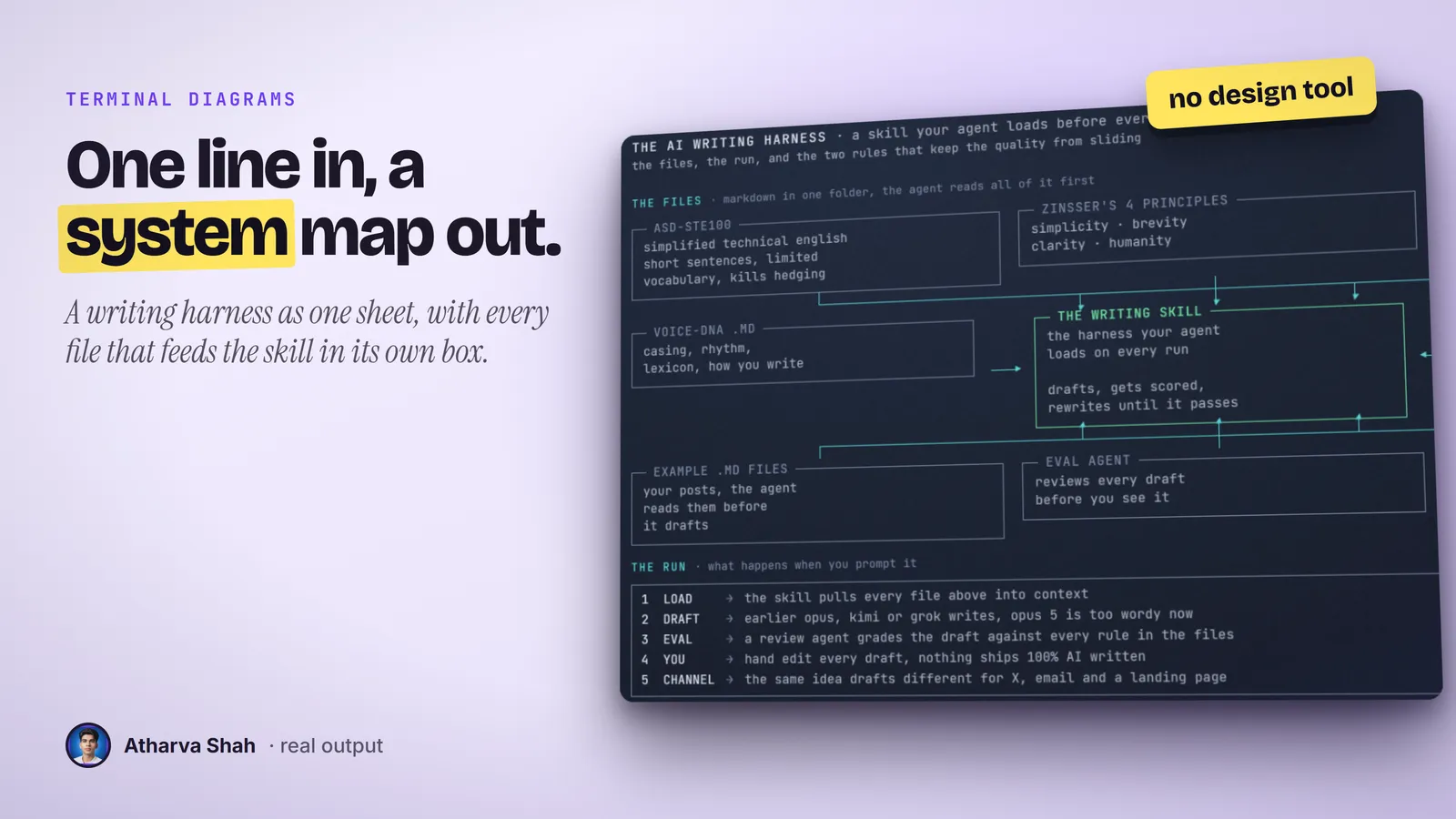
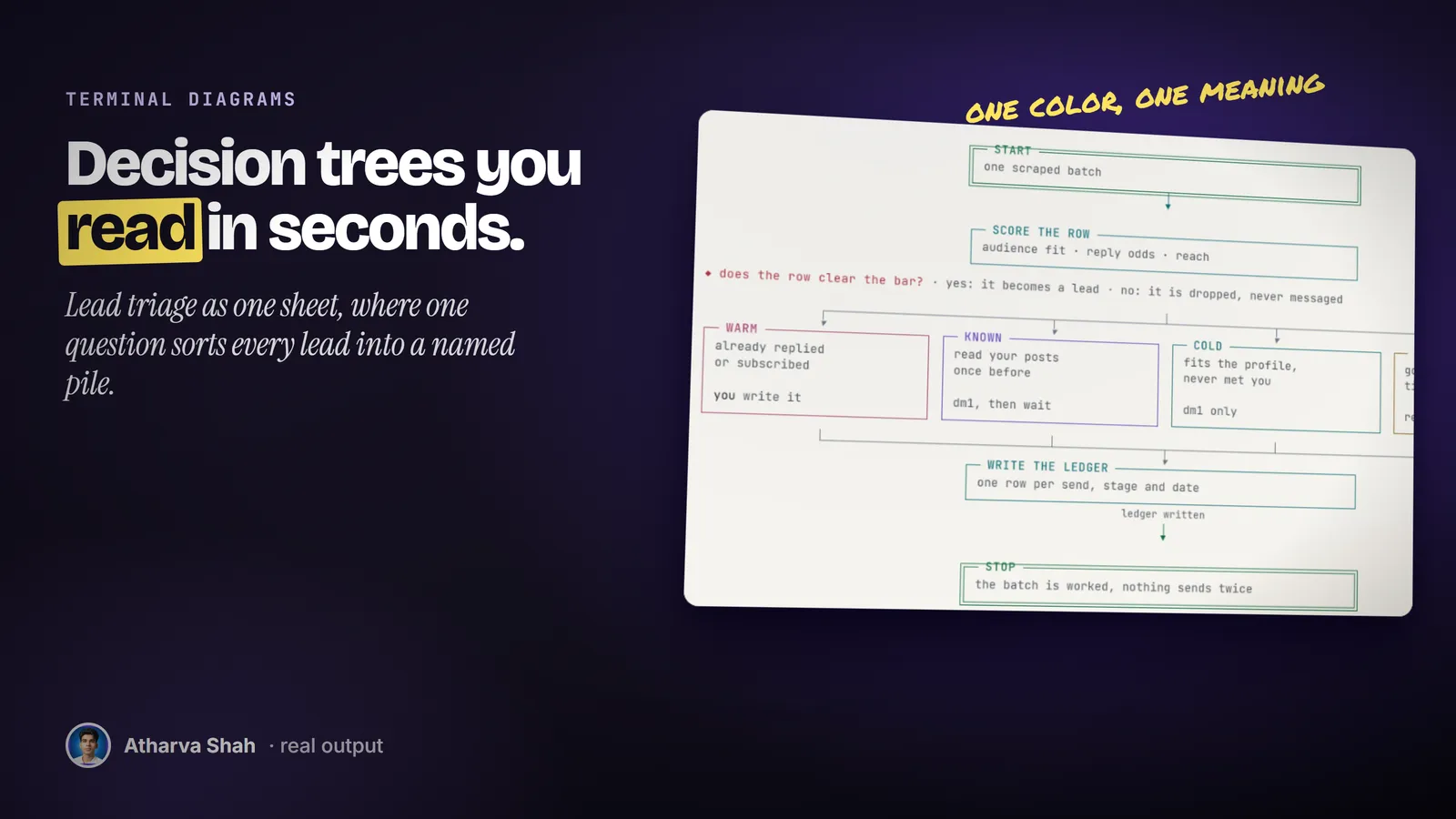
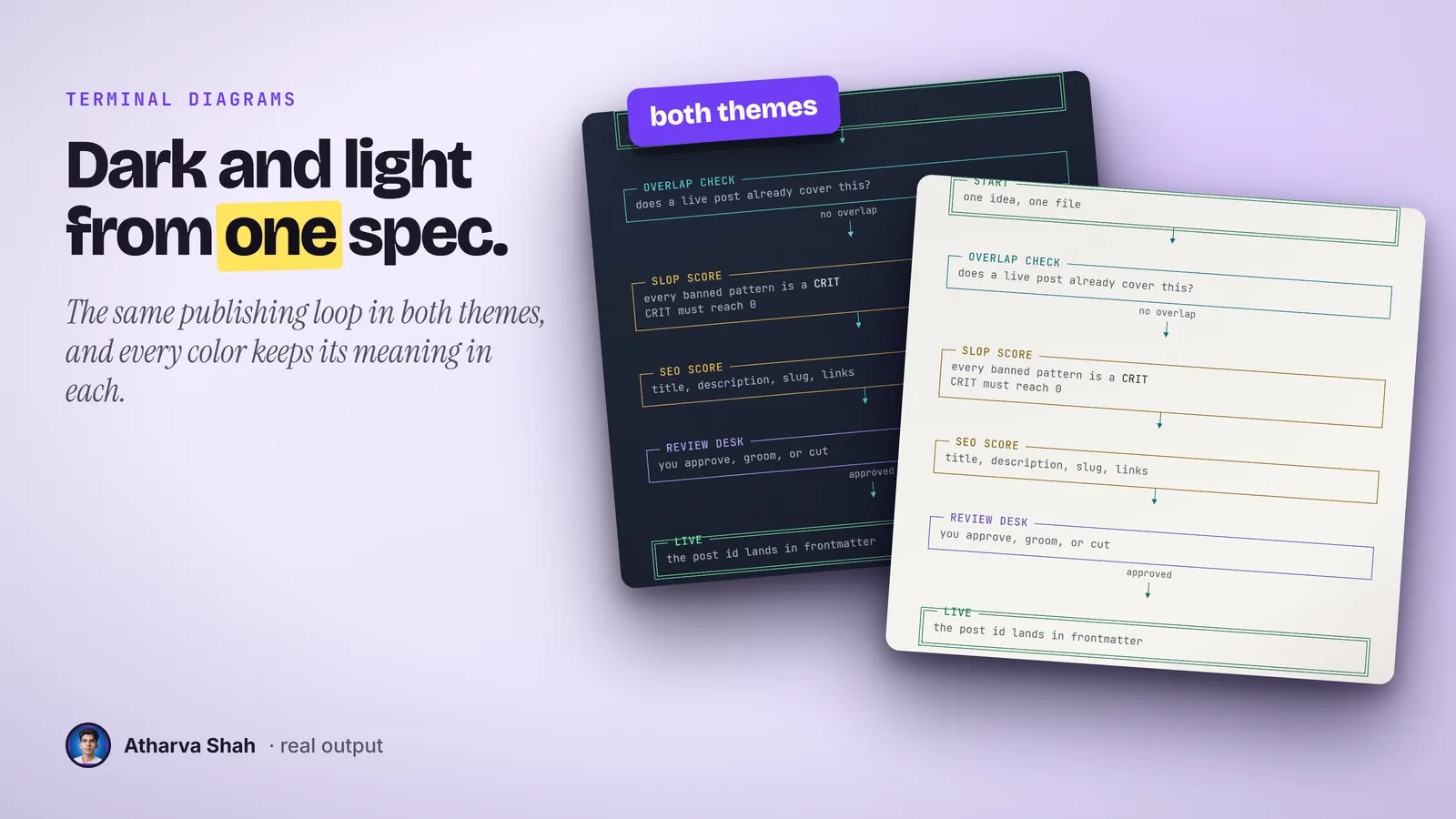
If you can point at the source, you get the picture.
You install it once. Every diagram after that runs through the same three steps.
- Point it at the source. Hand it a README, a note, a paper, or the thread you just had. It reads the whole thing before it draws a single box.
- It picks a shape per section. A sequence becomes a flow, a comparison becomes two columns, and a catalogue becomes a grid. Color follows a fixed role map with a legend.
- Get both themes. It renders dark for social feeds and light for docs, reads its own lint, fixes overlaps, and renders again before it shows you.
The usual options are slow or vague.
Drawing tools eat an afternoon. Image models guess at your labels.
Terminal Diagrams
- Reads the source. It diagrams the document, never the title.
- Color with rules. Each color carries one role, shown in the legend.
- Dark and light. Both come from one spec in one render.
- Text edits in seconds. Change one line of the spec and render again.
Drawing tools
- Hours per sheet. You drag, align, and recolor every box by hand.
- Color by mood. Nothing stops you from using green for two meanings.
- One theme at a time. A light version means a second pass over every box.
- Edits start over. A renamed step means you rebuild the layout.
AI image generators
- Invented words. Labels come back misspelled or made up.
- No structure. Arrows point at nothing, and boxes float.
- No contrast check. Faint text on a busy background fails readers.
- Regenerate and hope. You get a new picture instead of the fix.
It draws with your handle and your color roles.
You set your footer handle, default width, and color roles once. After that a one-line prompt is enough, because the skill fills in theme, palette, legend, and footer from your defaults. The spec it writes is plain JSON, so you can keep the ones you like and ask for the next sheet in the same shape.
Questions about Terminal Diagrams
Can Claude draw architecture diagrams?
Yes. This skill turns a one-line prompt into a monospace system map rendered as a PNG, so the diagram stays readable on a phone and in a slide.
Is there a free ASCII diagram generator?
Free generators draw boxes from text you type. This skill writes the whole diagram from your description and checks contrast in both themes.
Do I need design skills?
No. You describe what the diagram should explain, or point at a file. The skill picks the layout, the colors, and the legend.
Which Claude plan do I need?
A paid plan with Claude Code, because the skill runs a local render. Pro is enough for diagram work.
What else do I pay for?
Nothing. Python, Playwright, and the bundled JetBrains Mono font are free.
What kinds of diagrams does it draw?
System maps, pipelines, flowcharts, decision trees, hub diagrams, comparison panels, and role tables. It does not draw bar charts or line graphs.
Can I edit the text after it renders?
Yes. Every sheet comes from a JSON spec. Change a line in the spec, or ask Claude to change it, and render again in seconds.
Will the text be readable on a phone?
It renders at 2x by default, and it keeps sentences short and boxes to a few lines. Very dense sheets still read best on a larger screen.
Is it accessible?
Every color in both themes passes WCAG AA against its background, and body text reaches 7:1. A contrast script checks this whenever a palette value changes.
Does it look the same on every machine?
Yes. The font ships with the skill, so the render does not depend on the fonts you have installed.
What if my first diagram is not great?
Tell it what feels wrong, such as too many boxes or a confusing arrow. It edits the spec and renders again. A shorter, clearer source also gives it a better target.
Does this skill work with Gemini CLI, Codex, Cursor, or GitHub Copilot?
Yes, with one caveat. The skill is a SKILL.md folder in the Agent Skills open standard, which Claude Code, Codex CLI, Gemini CLI, Cursor, and GitHub Copilot all load. It is built and tested on Claude Code. Steps that lean on Claude-only features, such as parallel subagents, run one after another or need a manual step in other agents.
How do I install an agent skill?
Copy the skill folder into your agent's skills directory: ~/.claude/skills for Claude Code, or the skills folder your agent documents for Codex CLI, Gemini CLI, Cursor, or Copilot. The agent reads the description and loads the skill when your request matches it. Each skill ships with a setup guide for any tool it needs.
Related skills
- Social Card Studio: Designed post images built from real screenshots and real output, rendered at 2x.
- TLDR One-Pager: Compresses a video, an article, or a PDF into one editorial page you can post.
- Photo Carousel Planner: A raw camera roll becomes graded, grouped, captioned carousels on a posting schedule.
- Talk Deck Builder: A black, high-contrast PowerPoint for your own talk, with a meme after every claim.