A talk deck that looks like you built it on purpose.
Hand it your talk outline and get a black, high-contrast PowerPoint with stat tiles, real screenshots, and a meme after every claim, checked slide by slide.
Built by Atharva Shah. Talk Deck Builder costs $49, paid once. Buy Talk Deck Builder. The skill folder and setup guide arrive by email.
Talk Deck Builder at a glance
Talk Deck Builder is an AI agent skill for Claude Code, Codex CLI, Gemini CLI, and other agents that read SKILL.md. A black, high-contrast PowerPoint for your own talk, with a meme after every claim. Best for: Claude PPTX skill.
- Works with
- Claude Code, Codex CLI, Gemini CLI, Cursor, GitHub Copilot
- Category
- Visuals and decks
- Price
- $49, one payment
- Requirements
- Needs a paid Claude plan with Claude Code, Python, Node.js, and LibreOffice for the slide check. All three tools are free. Meme images come from a free public API.
- Included
- Step-by-step setup guide, 19 slide types, Improve pass for hand edits, Windows and Mac
What Talk Deck Builder produces

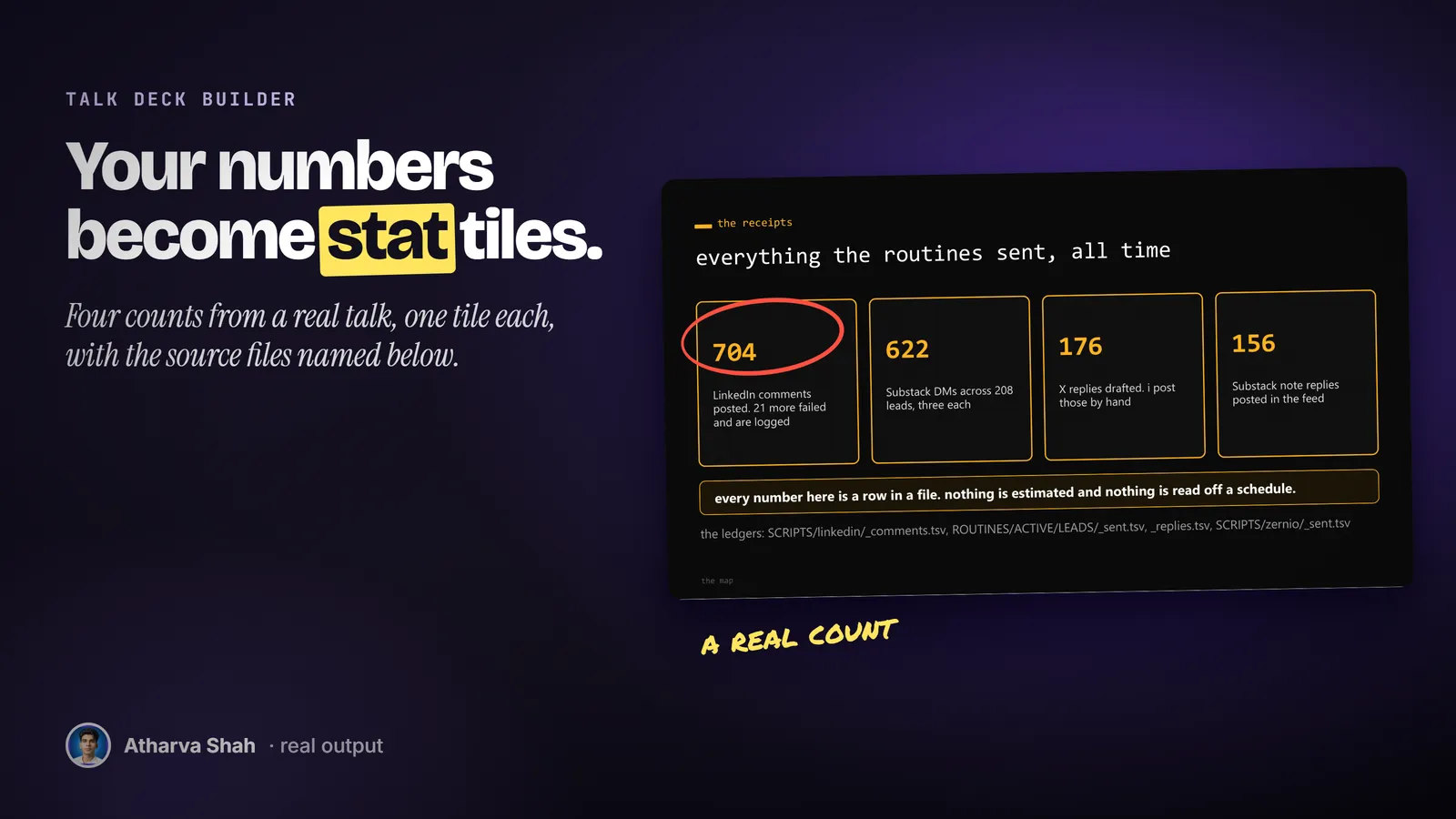
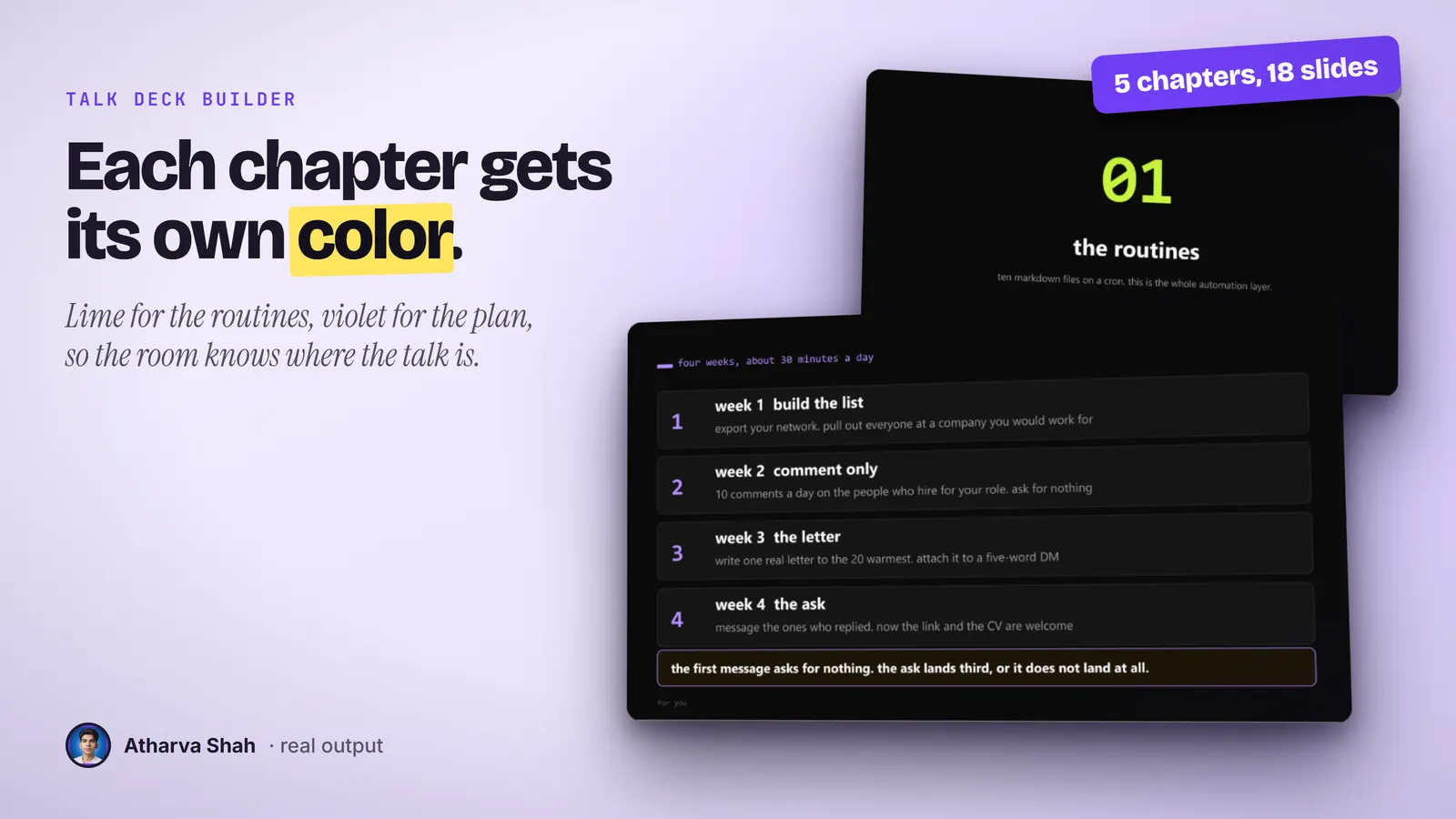
You bring the talk. It brings the look.
Set your accent colors and your image folder once. Every talk after that runs the same three steps.
- Give it your outline. Paste the talk as rough notes or a chapter list. It turns each point into a slide type: a chapter card, a stat row, a comparison, a code block, or an image.
- It builds and checks the deck. It writes the PPTX, renders every slide to an image, and reads each one. Overflowing text and clipped images get fixed before you see the file.
- Edit by hand, then improve. Open it in PowerPoint and change what you like. The improve pass adds the menu links and memes to your edited file and never overwrites your changes.
Most talk decks look like a sales pitch.
Corporate templates flatten your voice. A designer is slow when you rewrite the talk the night before.
Talk Deck Builder
- One accent per chapter. The audience always knows which part of the talk they are in.
- A visual on every slide. A tile, a number, a screenshot, or a meme carries each point.
- A menu that jumps. Each tile links to its chapter, and each chapter links back.
- Checked before you open it. It reads every rendered slide and fixes overflow first.
Corporate templates
- The same blue slides. The room has seen that layout a hundred times this year.
- Bullet dumps. The template invites six bullets where one number would land.
- No navigation. You click forward 20 times to answer one question from the floor.
- Text-only slides. Nothing on screen backs the claim you just made.
Deck designers
- Days per revision. You rewrite the talk and wait for a new file.
- Their look, not yours. Every designer brings the style of their last client.
- A bill per deck. The cost repeats for every talk you give.
- Hard to edit after. Their file breaks when you move one box.
It builds decks in your voice, on your own screenshots.
You pick the accent colors, the fonts, and the folder where your screenshots live. It uses your images first and makes captioned memes from a free meme service when a claim needs a laugh. Your hand edits stay in the file, so the deck gets closer to your taste with every pass.
Questions about Talk Deck Builder
Is Claude good at making presentation slides?
Claude can write a PPTX file, and the default design is plain. This skill adds a talk design system and checks every slide as an image before you open the file.
What are the Claude skills for creating slides?
Anthropic ships a general PPTX skill. This one is for speakers: one accent color per chapter, stat tiles, real screenshots, and a menu slide that jumps between sections.
Do I get a real PowerPoint file?
Yes. You get a .pptx that opens in PowerPoint, Keynote, and Google Slides. Every box is a normal shape you can move or delete.
What if I edit the deck by hand?
Keep editing. The improve pass works on your saved file and adds the menu links, memes, and labels around your changes. It never rebuilds the deck over your work.
Is this for sales decks?
No. It is built for talks, workshops, and events where you present as yourself. A brand sales deck needs your company template.
Where do the images come from?
Your own screenshots first. For memes it writes your caption onto a classic meme template through a free API. It never uses stock photos or an image model.
Which Claude plan do I need?
A paid plan with Claude Code. Pro is enough for a 30-slide deck. A 60-slide workshop deck can hit usage limits, so you may wait for a reset.
What else do I pay for?
Nothing. Python, Node.js, and LibreOffice are free. The meme API is free.
Can I change the colors and fonts?
Yes. The setup guide shows where the accents and fonts live. The default is a black background with one bright accent per chapter.
Will the file be huge?
No. It resizes every image before it builds the deck, so a 50-slide deck stays in single-digit megabytes.
What if my first deck is not great?
Tell it which slides feel wrong and why. It rebuilds those slides, renders them again, and checks them. A tight outline gives a better first deck.
Does this skill work with Gemini CLI, Codex, Cursor, or GitHub Copilot?
Yes, with one caveat. The skill is a SKILL.md folder in the Agent Skills open standard, which Claude Code, Codex CLI, Gemini CLI, Cursor, and GitHub Copilot all load. It is built and tested on Claude Code. Steps that lean on Claude-only features, such as parallel subagents, run one after another or need a manual step in other agents.
How do I install an agent skill?
Copy the skill folder into your agent's skills directory: ~/.claude/skills for Claude Code, or the skills folder your agent documents for Codex CLI, Gemini CLI, Cursor, or Copilot. The agent reads the description and loads the skill when your request matches it. Each skill ships with a setup guide for any tool it needs.
Related skills
- Social Card Studio: Designed post images built from real screenshots and real output, rendered at 2x.
- TLDR One-Pager: Compresses a video, an article, or a PDF into one editorial page you can post.
- Terminal Diagrams: Dense monospace system maps and flowcharts from a one-line prompt, dark and light.
- Photo Carousel Planner: A raw camera roll becomes graded, grouped, captioned carousels on a posting schedule.