Paste a post link. Get a clean quote card back.
Claude turns an X post, a Substack note, a Threads post, or any line of text into a sharp PNG, one card or a hundred at a time. It renders the same way on every machine and never adds a watermark.
Built by Atharva Shah. Quote Card Factory costs $19, paid once. Buy Quote Card Factory. The skill folder and setup guide arrive by email.
Quote Card Factory at a glance
Quote Card Factory is an AI agent skill for Claude Code, Codex CLI, Gemini CLI, and other agents that read SKILL.md. Any post or line of text becomes a clean quote card image, one or a hundred. Best for: quote card generator.
- Works with
- Claude Code, Codex CLI, Gemini CLI, Cursor, GitHub Copilot
- Category
- Visuals and decks
- Price
- $19, one payment
- Requirements
- Needs a Claude plan with Claude Code, Python, and the free quotecard command-line tool, which downloads its own browser for rendering. Protected, deleted, or age-gated posts cannot be read, so paste the text instead.
- Included
- Eight looks, Batch mode, X, Substack, and Threads, Windows and Mac
What Quote Card Factory produces
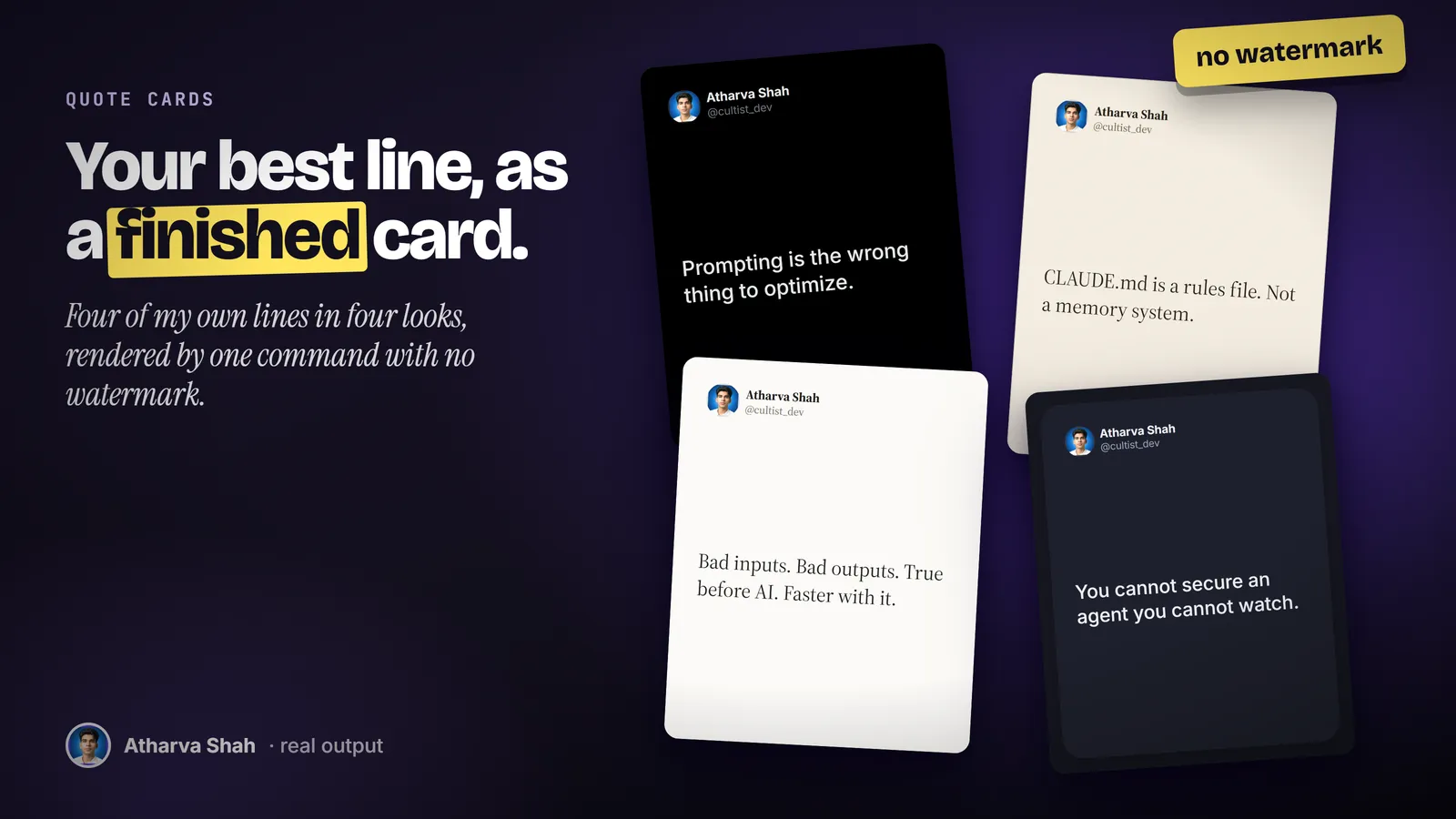
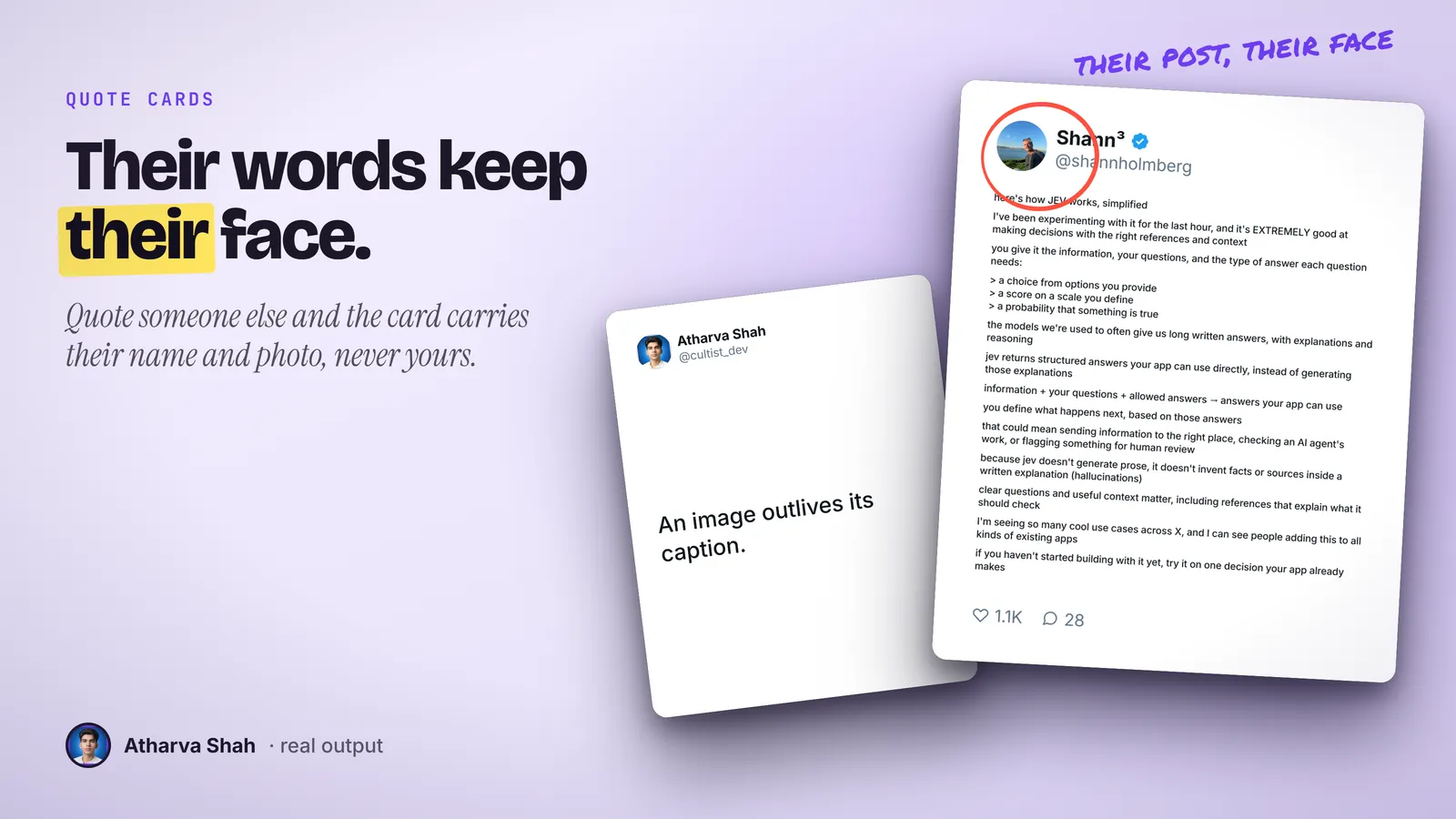
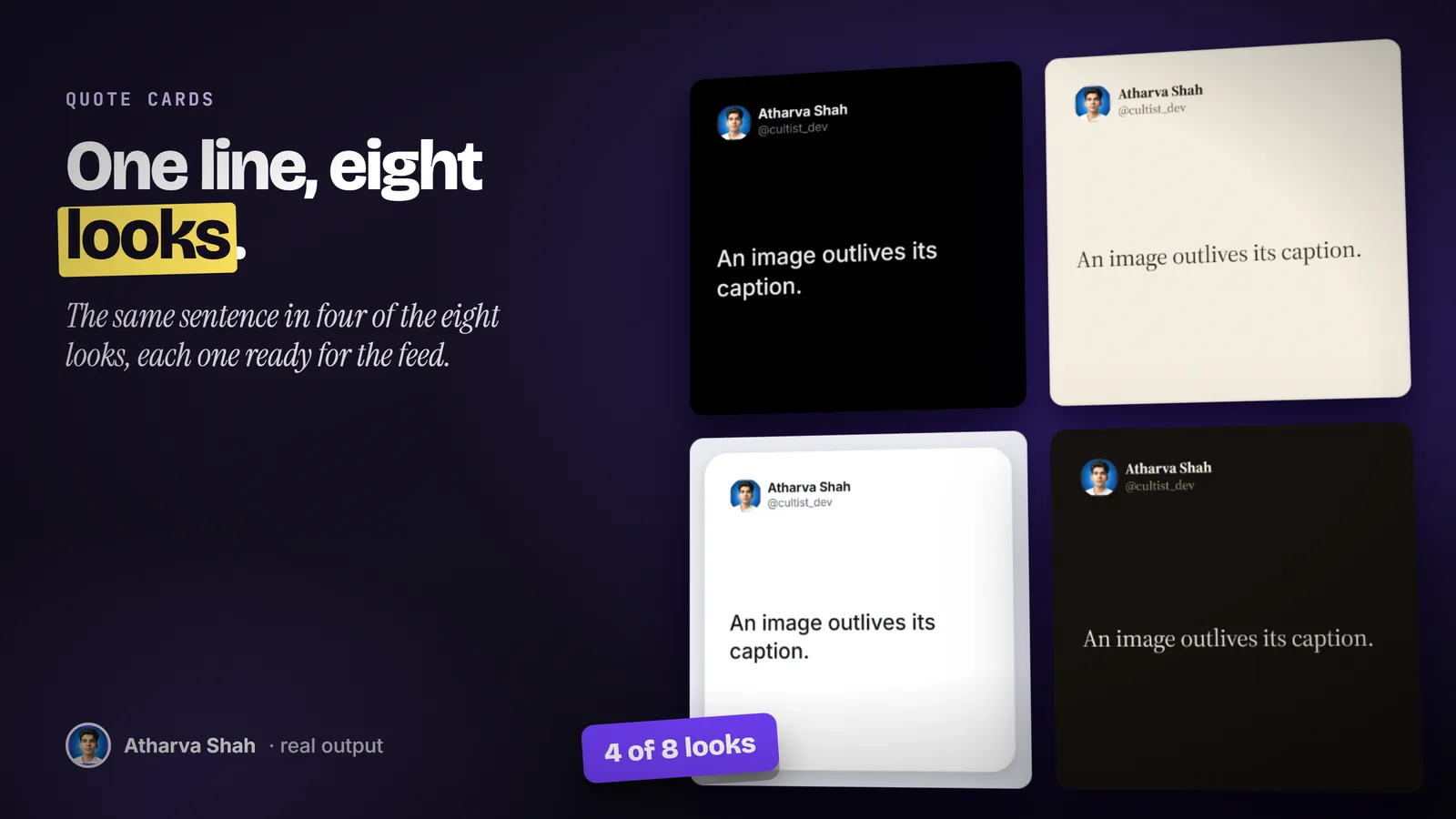
A link in, a finished card out.
You store your name, handle, and photo once. After that every card takes three steps.
- Drop a link or a line. Paste one post link, a file of fifty links, or a sentence you wrote. It reads the post text and the author for you.
- It picks the look. It matches the look and size to where the card goes: a feed post, a square repost, a story, or a slide. It can render two looks so you choose.
- Save and post. Every card lands as a PNG in the folder you name. A post too long for the frame gets moved to a taller size, never clipped.
Most quote cards are screenshots with a crop.
A browser capture looks cheap in a feed. A design template takes ten minutes per card.
Quote Card Factory
- Reads the post for you. Text, author, and photo come straight from the link.
- Batch of a hundred. A file of links renders in one command.
- Same on every machine. Fonts are cached, so a card never shifts between laptops.
- Honest attribution. Another person keeps their own name and face on the card.
Browser screenshots
- Clutter in the frame. Buttons, ads, and reply counts sit around the words.
- Wrong shape. A post crops badly into a 4:5 feed image.
- Soft text. Screen captures blur on a phone.
- One at a time. Fifty posts means fifty crops.
Quote card apps
- A watermark on free plans. Their logo sits in the corner of your post.
- Retype every quote. You paste the text and upload the photo by hand.
- Monthly plan. Another subscription for one small job.
- Template look. The same card style as every other account.
Cards from your words carry your face and handle.
You save your name, handle, and photo once. A line you type or a post from your own account gets your identity. A post from someone else keeps their name and face, because the card credits them. Eight looks cover dark, light, serif, editorial, and rounded styles, and you add your domain as a footer if you want one.
Questions about Quote Card Factory
How do I turn a tweet into an image?
Give the skill the post link or the text. It renders a clean quote card with the author line, one card or a hundred in a batch, with no watermark.
Which links does it read?
X posts, Substack notes, Substack articles, and Threads posts. For anything else, paste the text and it makes a text card.
Whose face goes on the card?
The author of the post. Your words get your photo and handle. Someone else keeps their own, because a quote card is an attribution. You can force your identity onto a card, and it tells you when it does.
Which sizes can I make?
Feed 4:5, square 1:1, story 9:16, 16:9, 3:4, or any exact pixel size. A 2x scale gives 2160 pixels wide for print or a slide.
Does it add a watermark?
No. You can add your own small footer text, such as your domain, if you want one.
Which Claude plan do I need?
A paid plan with Claude Code, because the renderer runs on your machine. Pro is enough.
What else do I pay for?
Nothing. The command-line tool is free and installs with one pip command. It needs no API key.
Can I hide the like and repost counts?
Yes. One flag drops the counts. Another drops the whole header so the card shows only the words.
What happens with a very long post?
It warns you when the text hits the smallest font size for that frame. Move it to a taller size or split it. It never ships a clipped card.
What if a render fails?
A built-in doctor command checks the config, fonts, browser, and network, and names the broken part. A failed link never stops the rest of a batch.
Does this skill work with Gemini CLI, Codex, Cursor, or GitHub Copilot?
Yes, with one caveat. The skill is a SKILL.md folder in the Agent Skills open standard, which Claude Code, Codex CLI, Gemini CLI, Cursor, and GitHub Copilot all load. It is built and tested on Claude Code. Steps that lean on Claude-only features, such as parallel subagents, run one after another or need a manual step in other agents.
How do I install an agent skill?
Copy the skill folder into your agent's skills directory: ~/.claude/skills for Claude Code, or the skills folder your agent documents for Codex CLI, Gemini CLI, Cursor, or Copilot. The agent reads the description and loads the skill when your request matches it. Each skill ships with a setup guide for any tool it needs.
Related skills
- Social Card Studio: Designed post images built from real screenshots and real output, rendered at 2x.
- TLDR One-Pager: Compresses a video, an article, or a PDF into one editorial page you can post.
- Terminal Diagrams: Dense monospace system maps and flowcharts from a one-line prompt, dark and light.
- Photo Carousel Planner: A raw camera roll becomes graded, grouped, captioned carousels on a posting schedule.